We are incredibly excited to present one of the biggest updates to the edio platform, released this December — right before the end of the year. This time, we focused on developing tools for school owners, improving virtual classrooms, and expanding functionality for teachers and students. Let’s take a look at what’s new.
1. School analytics — full control over the learning process
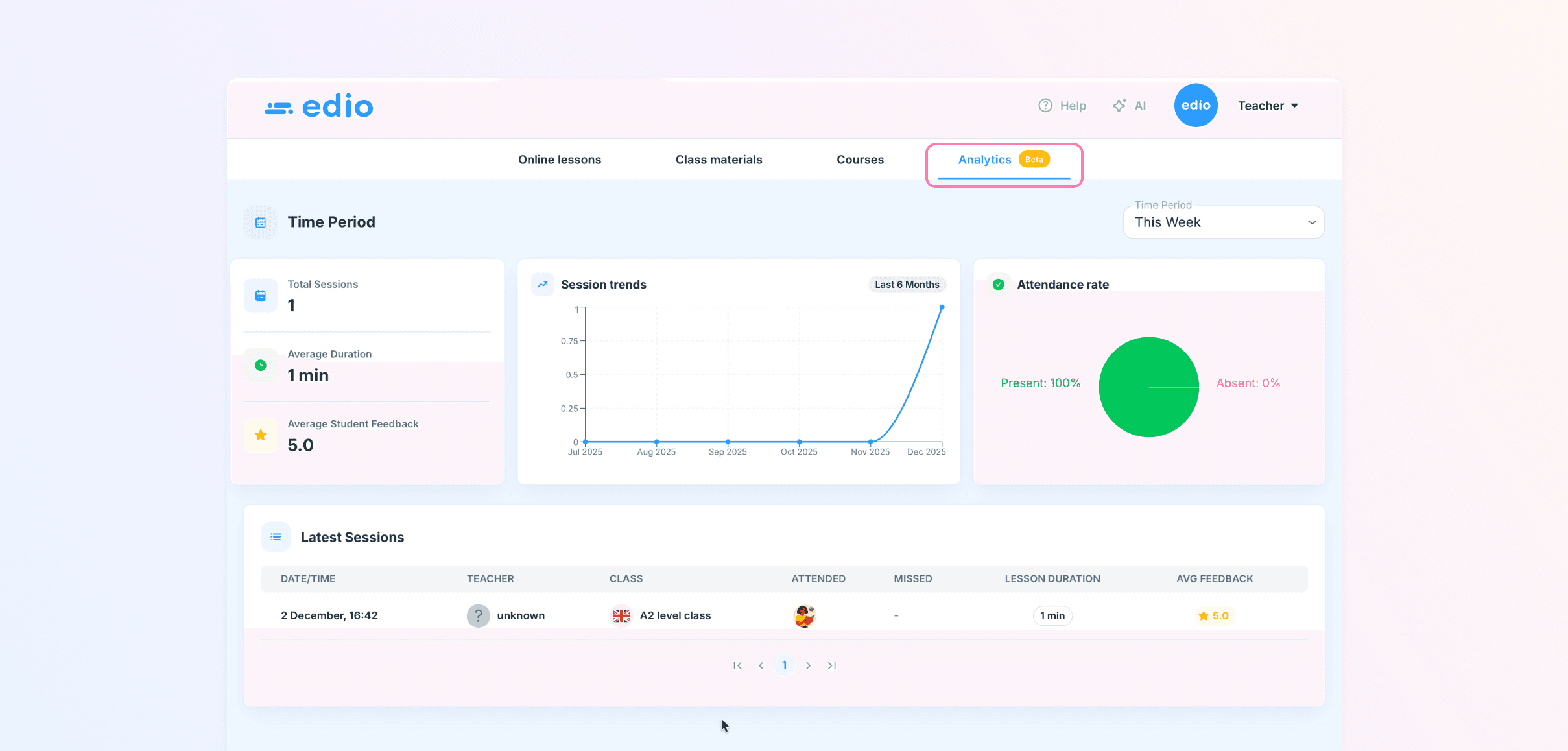
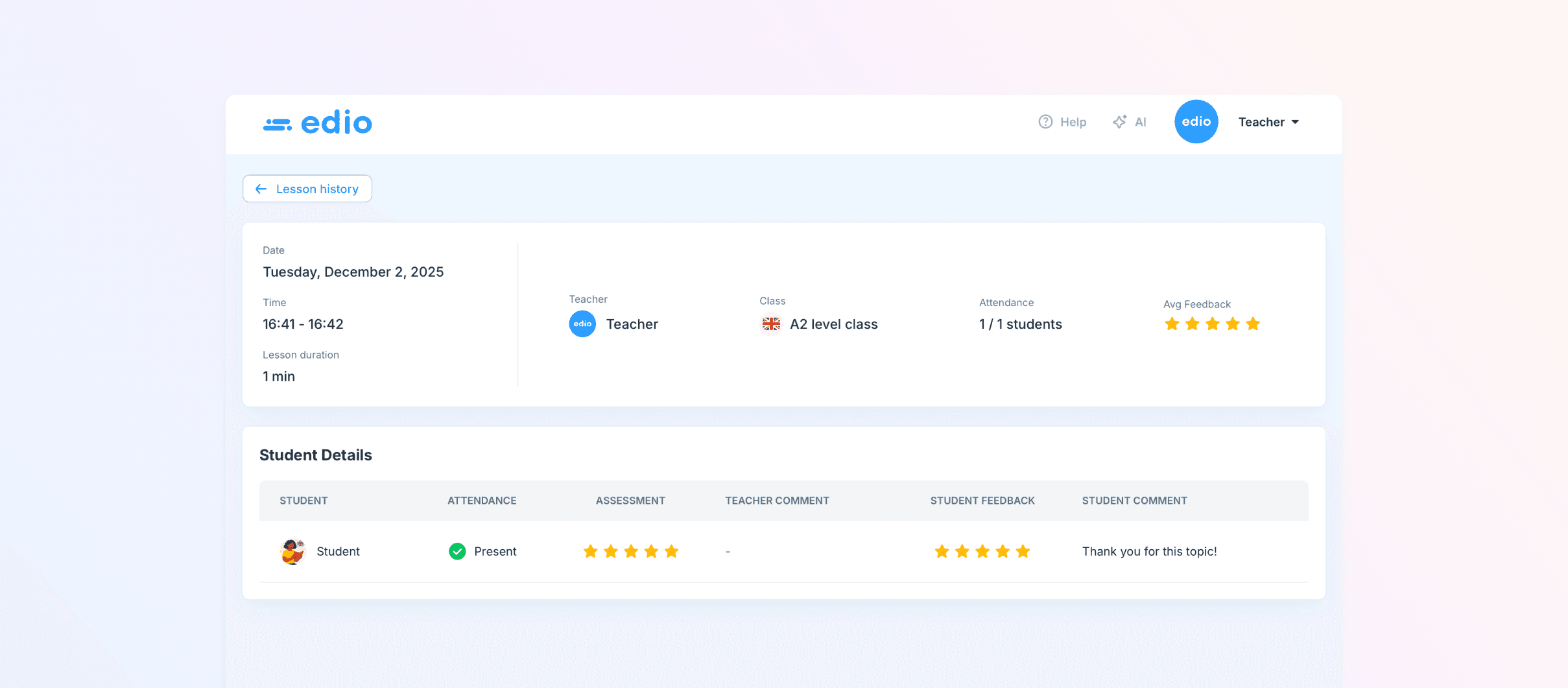
We have added analytics to the platform to help school owners better understand their team’s performance and students’ progress.
Now you can:
view statistics for any period: number of lessons conducted, student activity and attendance;
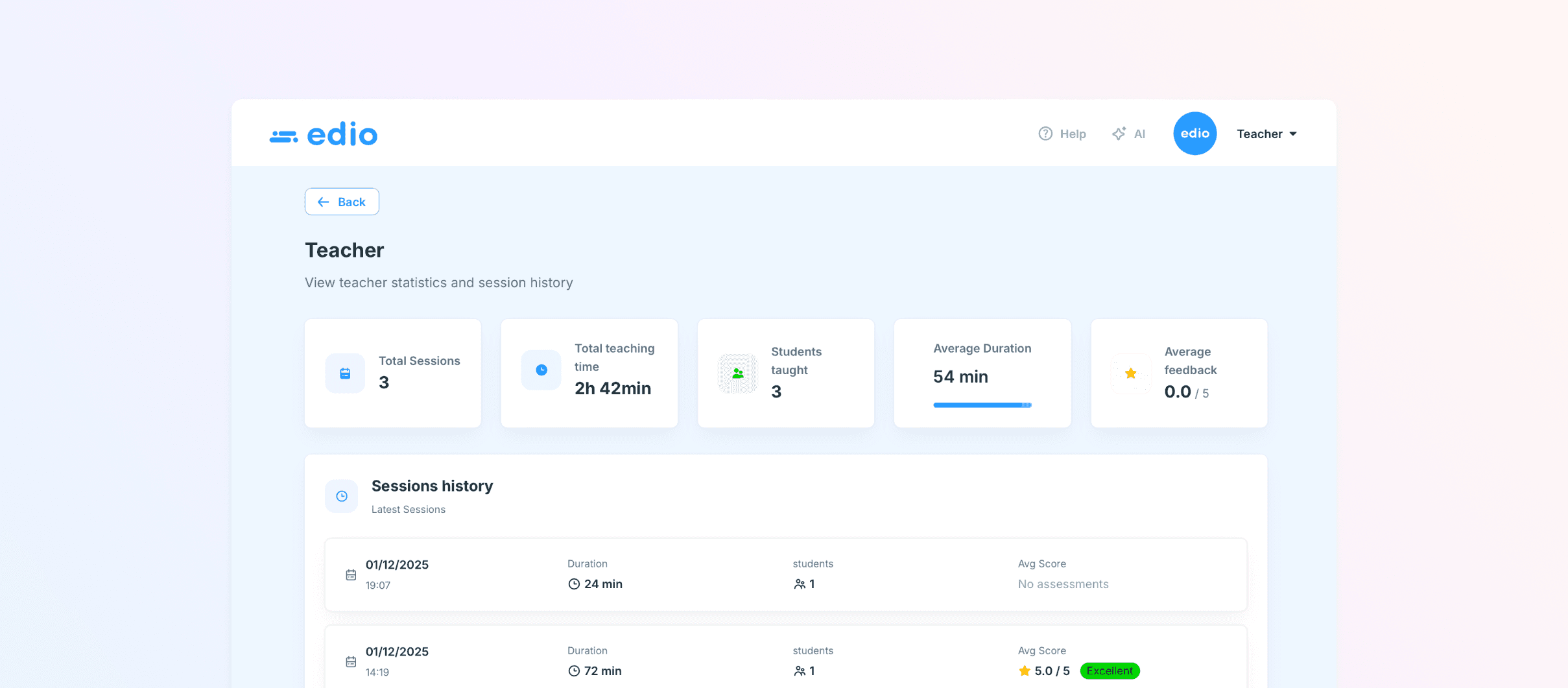
see all lessons in sequence and review details of each session;
receive feedback from both students and teachers after each lesson;
track lesson duration and each student’s progress.
How does it work?
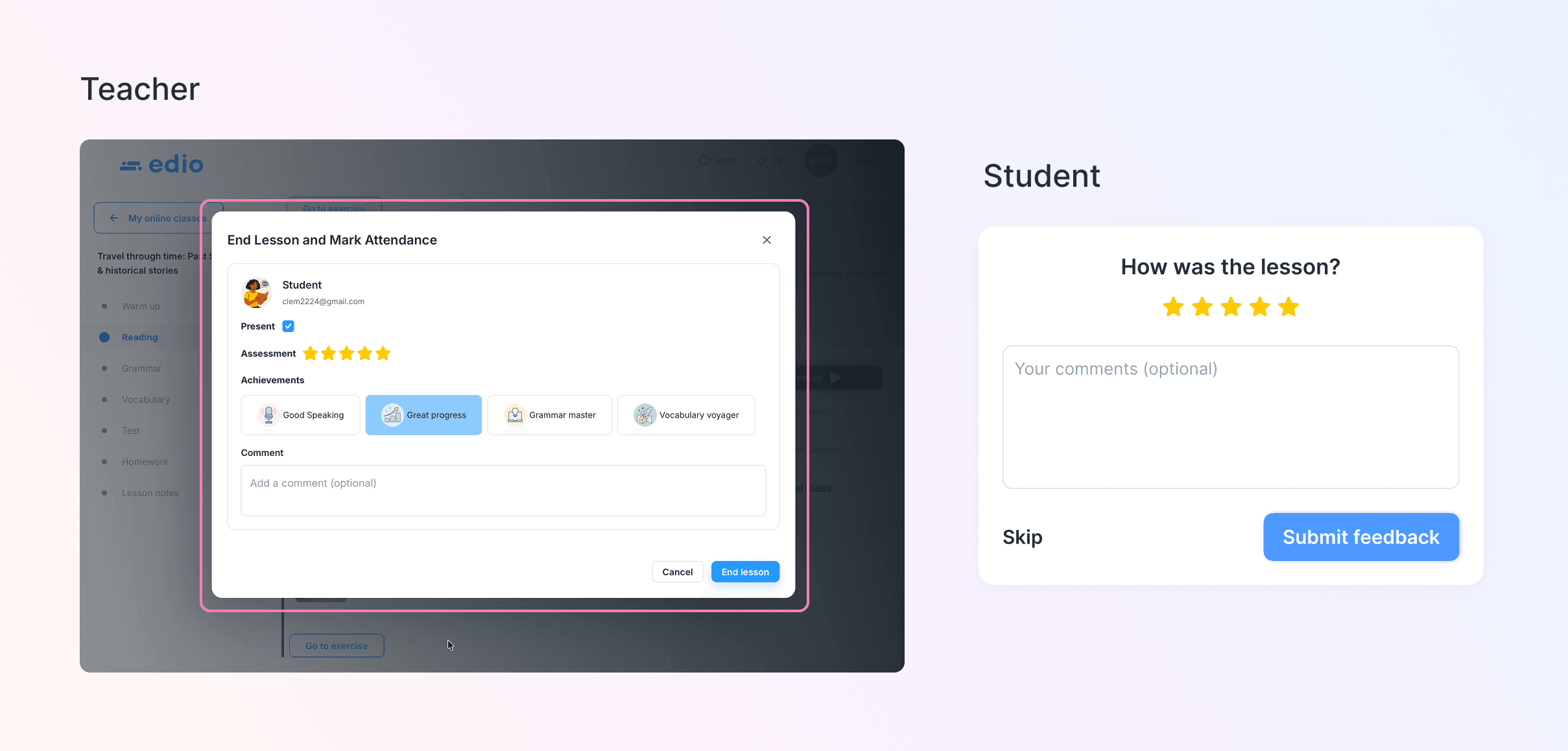
After completing a lesson, both the teacher and the student receive a short evaluation form.
The teacher’s feedback is visible to the student, and the student’s rating appears in the school analytics.
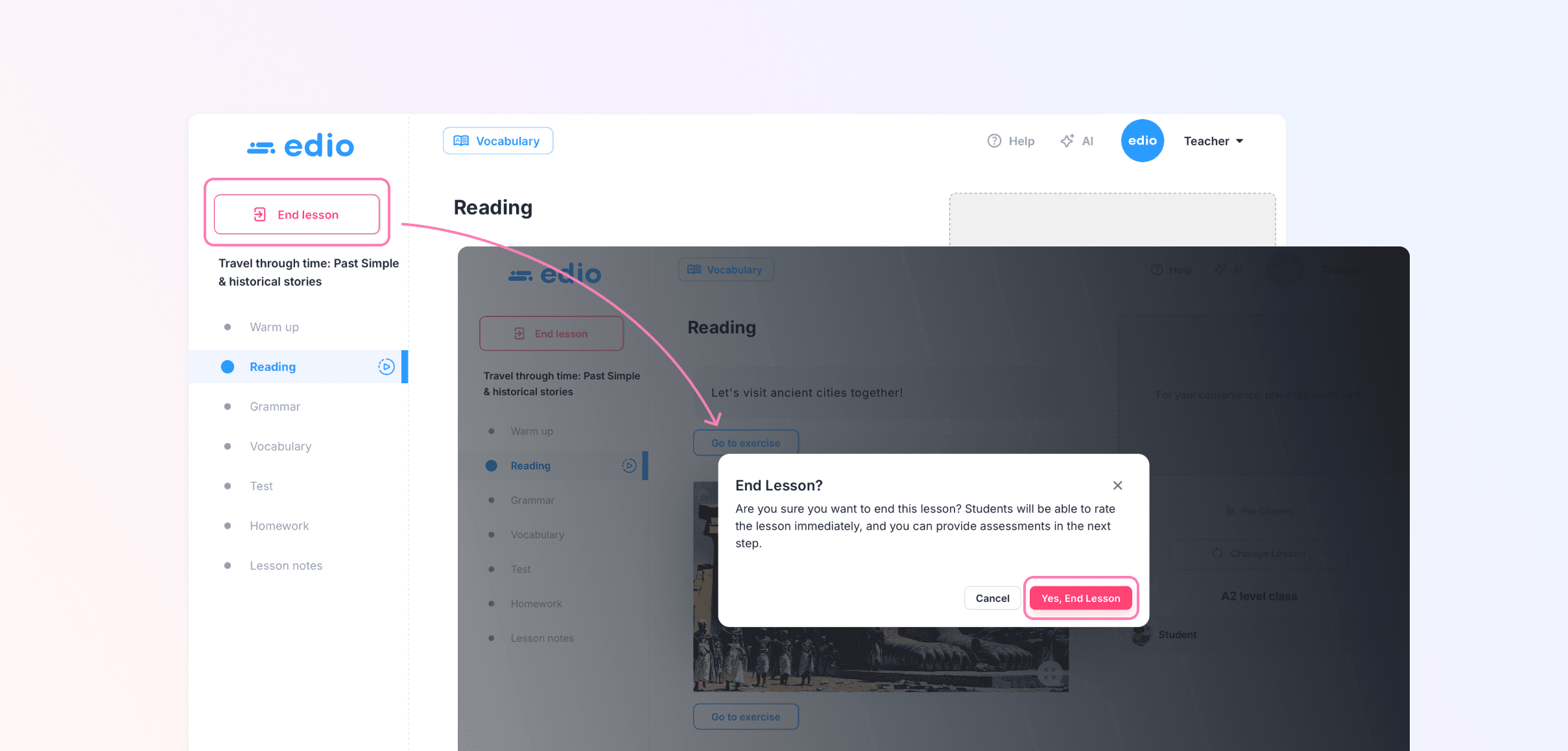
Important: teachers must start and end the lesson through the platform for analytics to work correctly.
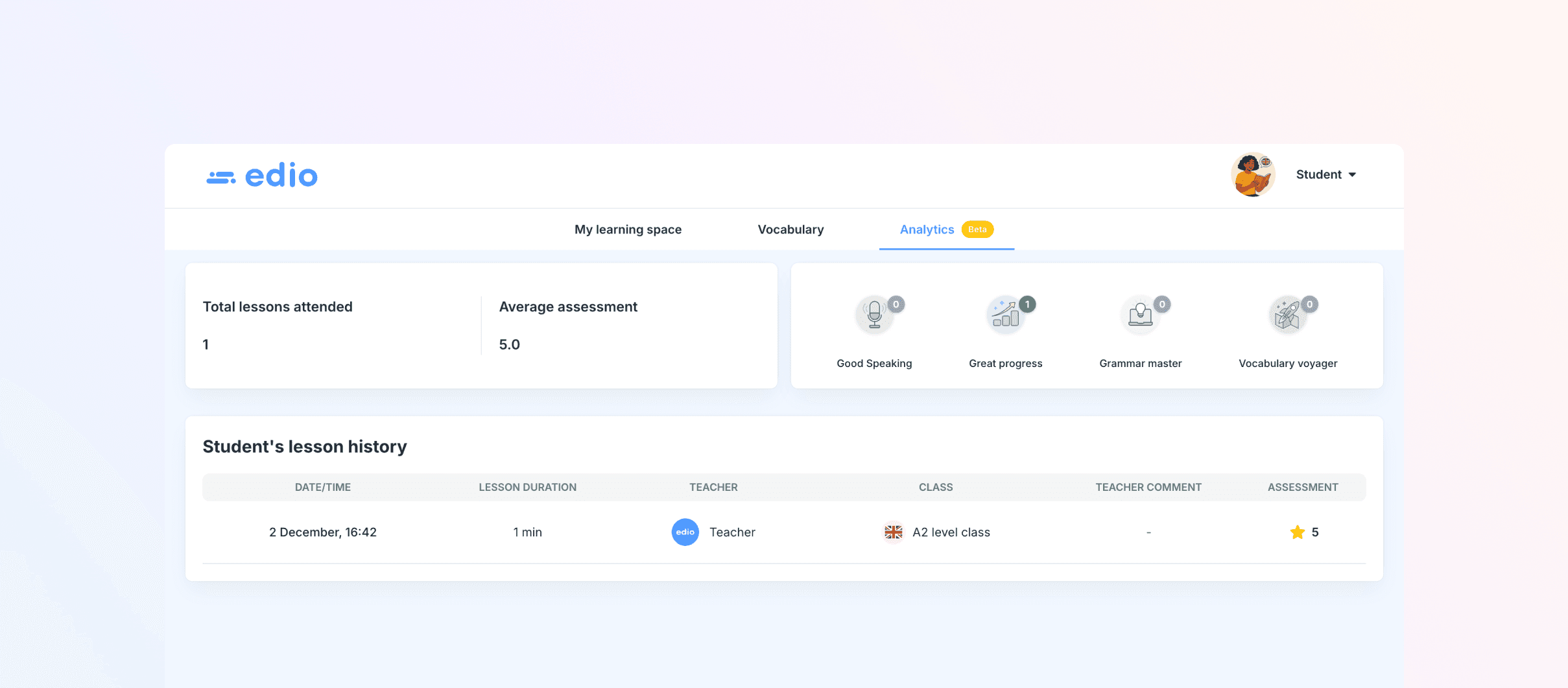
Students also receive their own analytics page — they can now track completed lessons and monitor their learning progress.
2. Lesson evaluation for teachers and students
After each lesson:
the teacher can leave a rating, comment, or praise for the student;
the student can evaluate the quality of the lesson.
This creates two-way feedback, strengthens communication, and helps both sides track progress.
3. New Drag & Drop exercise
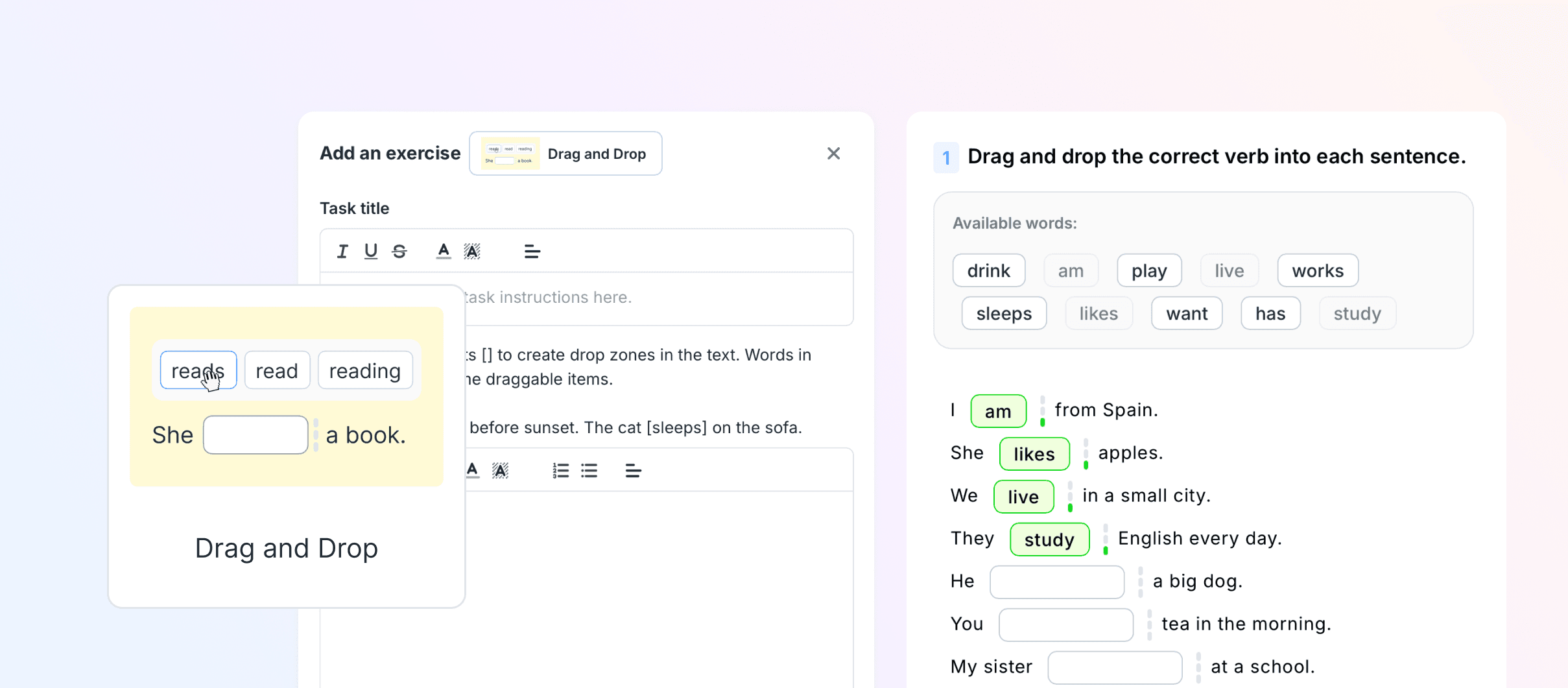
We introduced a new interactive task format — Drag and Drop, which allows learners to move words into the correct position.
To create such an exercise, simply place the words in square brackets, for example:
I [have] a cat.
The system will automatically shuffle the options and generate a ready-to-use activity.
4. New helper — a simple start for platform users
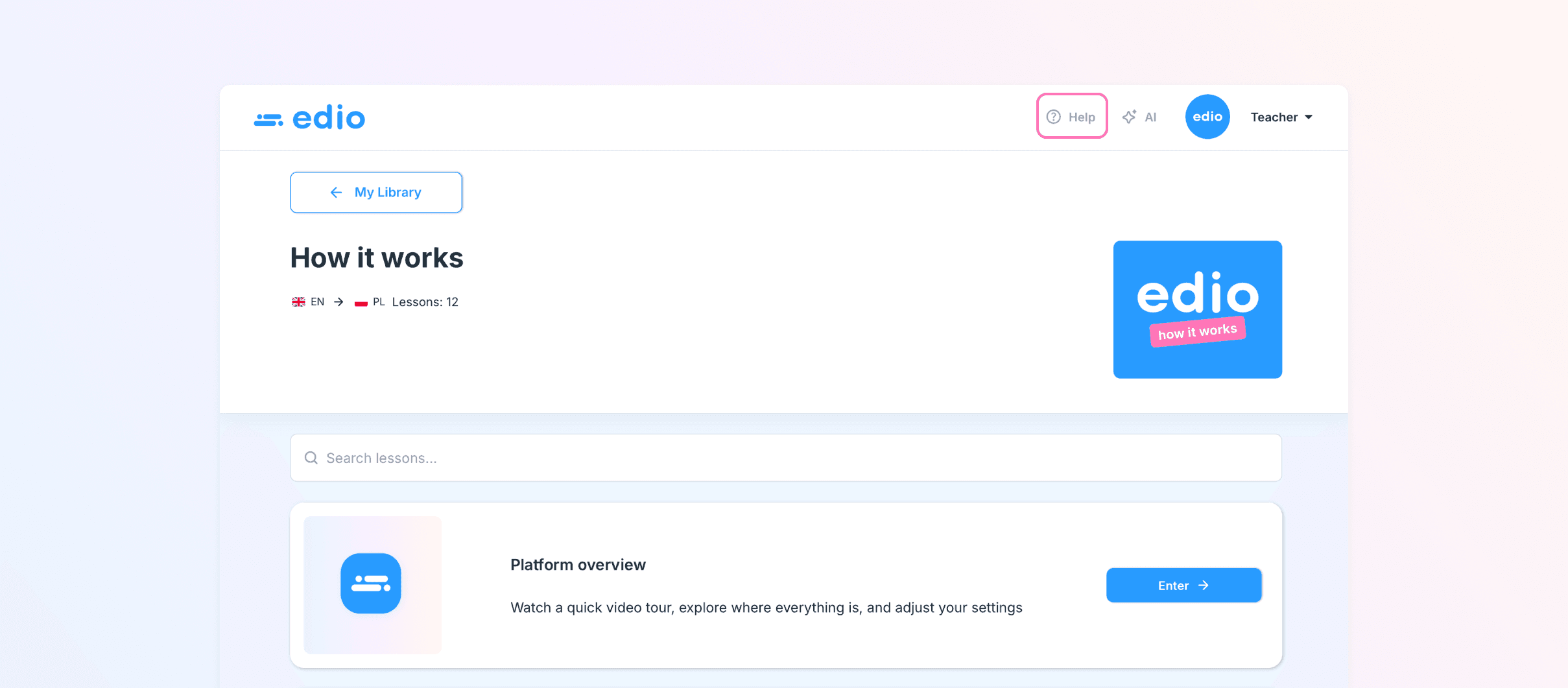
We added a helper — a collection of short, structured instructions on how to use edio.
It helps new teachers and students quickly understand the platform and start working without confusion.
The helper is available:
in the edio Library,
in the header of your dashboard.
5. Flexible access levels for teachers
School owners can now choose what type of access each teacher has:
view only,
edit access,
no access.
This protects your content and ensures clear, organized collaboration within your courses.
6. Lesson descriptions are back
We restored the ability to add lesson descriptions.
Each lesson can now contain up to 350 characters, allowing you to briefly outline the lesson’s purpose, content, or main focus.
This greatly improves navigation, especially in large courses or team environments.
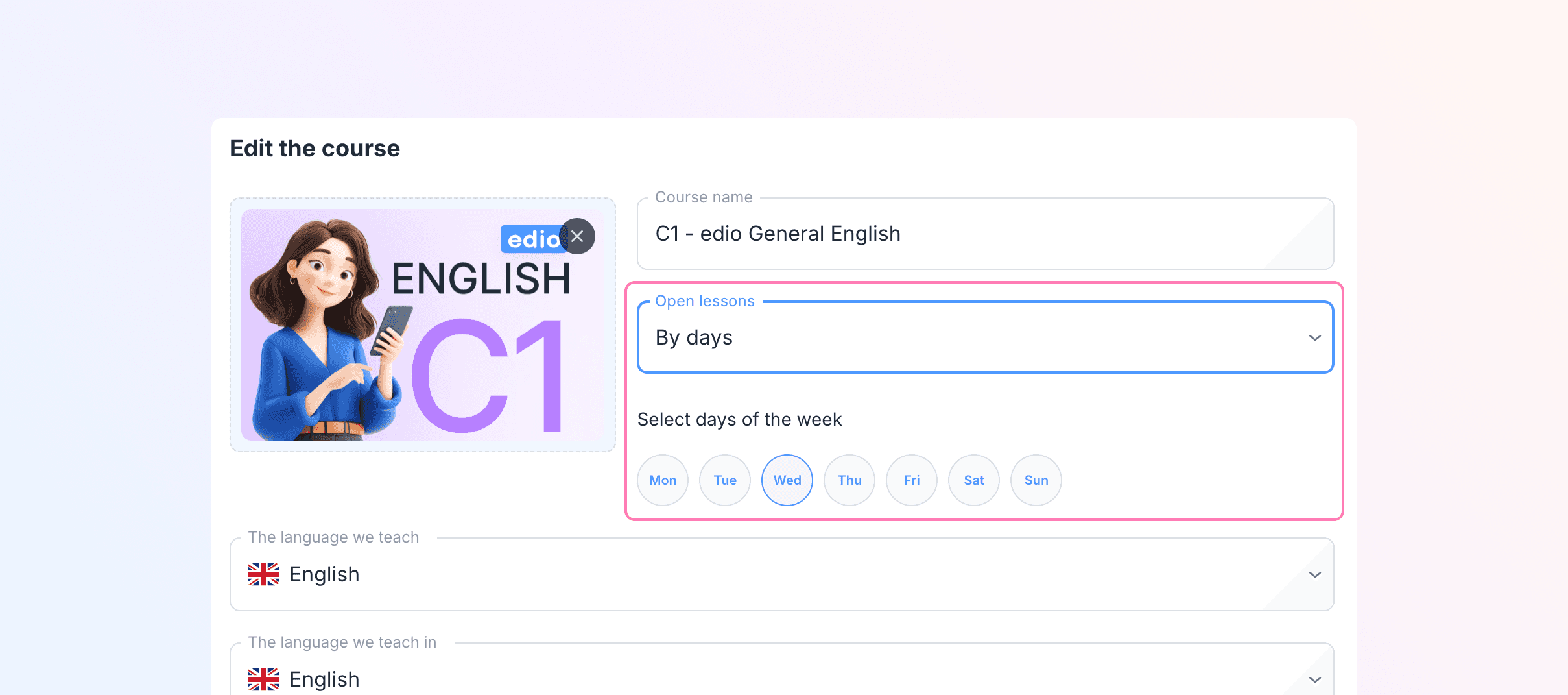
7. Improved course access — release lessons by weekdays
We added a new access mode — lesson release by selected weekdays.
For example, if you choose Monday, Wednesday, and Friday, new lessons will become available to students only on those days.
This is perfect for structured courses with a fixed learning pace.
8. Bug fixes and platform optimization
We carried out significant technical improvements to make edio more stable and efficient:
fixed multiple issues in classes, courses, and dashboards;
increased page loading speed;
optimized the analytics module;
improved UI rendering across devices;
reduced minor visual and functional bugs.