If you run an online language school, you know the communication problem well. Students message you on WhatsApp, teachers write on Telegram, someone sends an email, and by the end of the day you've lost track of half the conversations. It's not a people problem — it's a tools problem.
That's why built-in chat for online language schools is becoming one of the most requested features in teaching platforms. And that's exactly what edio now offers.
For school owners, this is a game-changer. All conversations — students, teachers, and classes — in one place. Full visibility, full control, without leaving the platform.
Why separate messengers don't work for online schools
Managing a language school means communicating with multiple people at once — students with questions, teachers with updates, groups with announcements. When that communication is scattered across WhatsApp, Telegram, and email, things fall through the cracks. There's no context, no history in one place, and no connection to the actual lesson or student profile.
A built-in chat solves this by keeping all communication where the teaching already happens.
How chat works in edio
edio's Chat tab is available directly in the platform — no extra apps, no integrations needed. Here's what it looks like for each user.
For school owners and admins
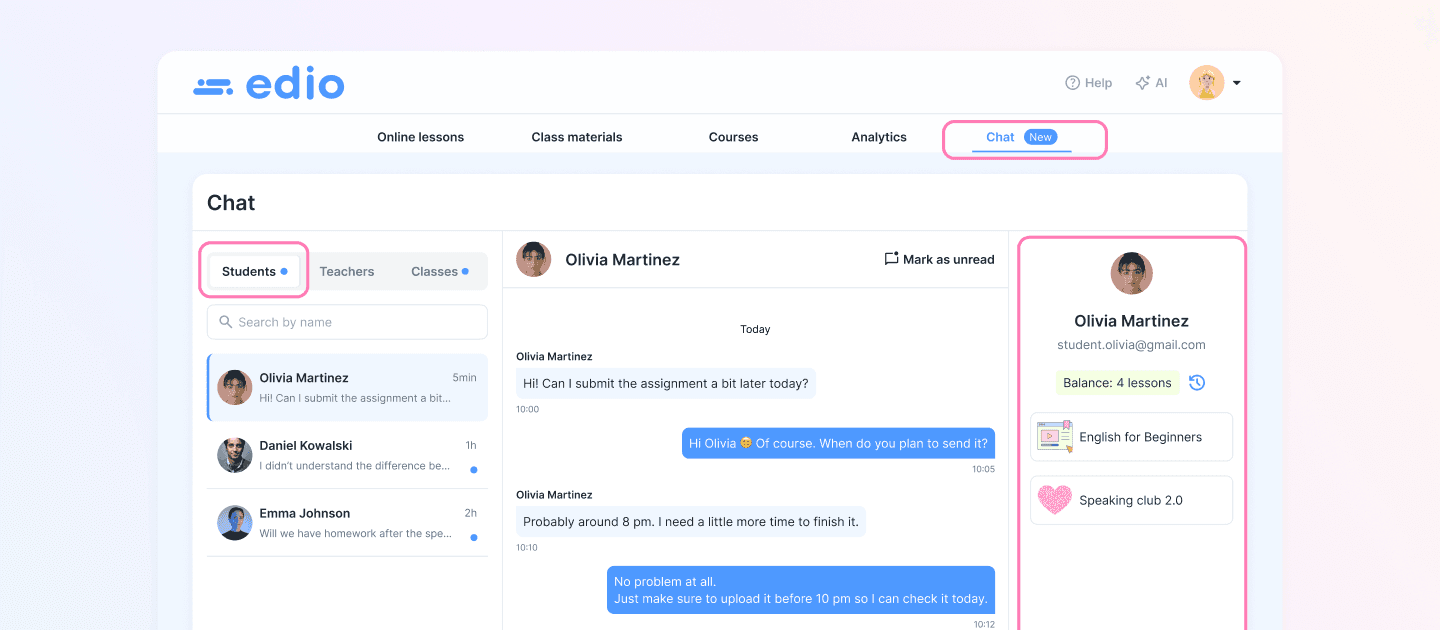
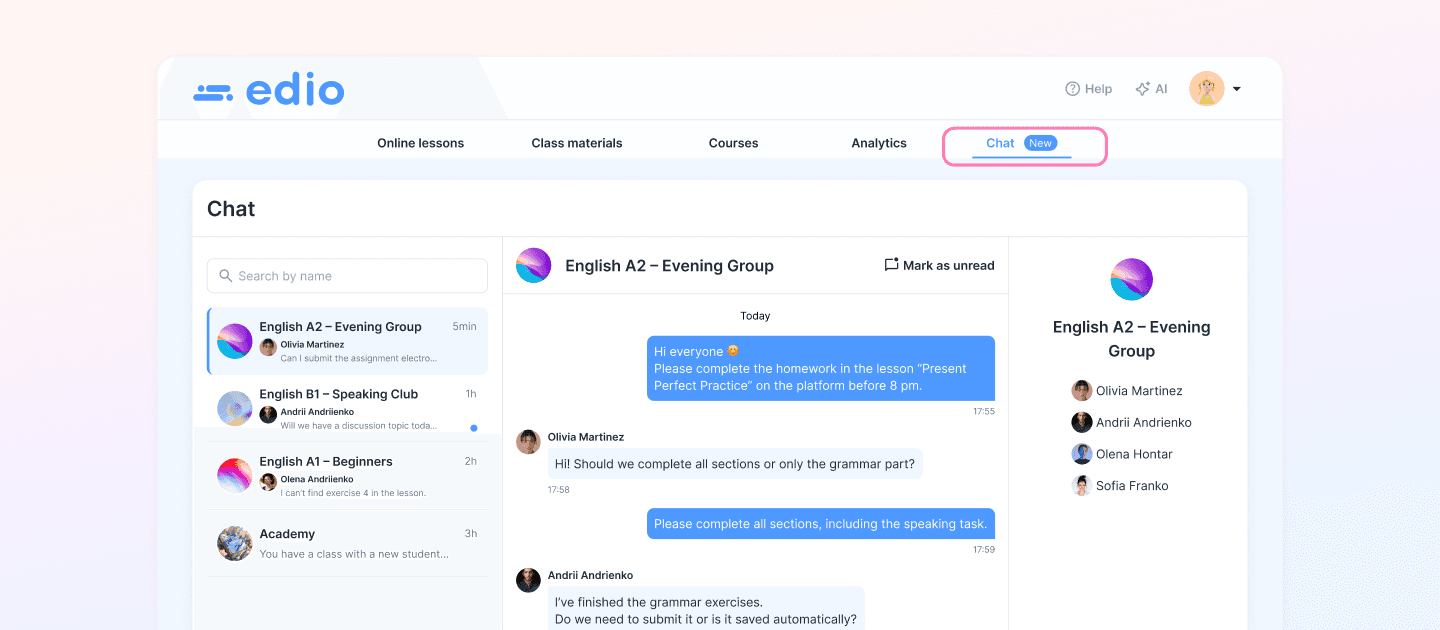
As a school owner, you get three tabs in Chat: Students, Teachers, and Classes.
The Students tab keeps all student conversations in one place. Search by name, see recent messages, and reply instantly. Open any conversation and you'll immediately see the student's email, lesson balance, and enrolled courses right in the sidebar — full context, no switching screens.
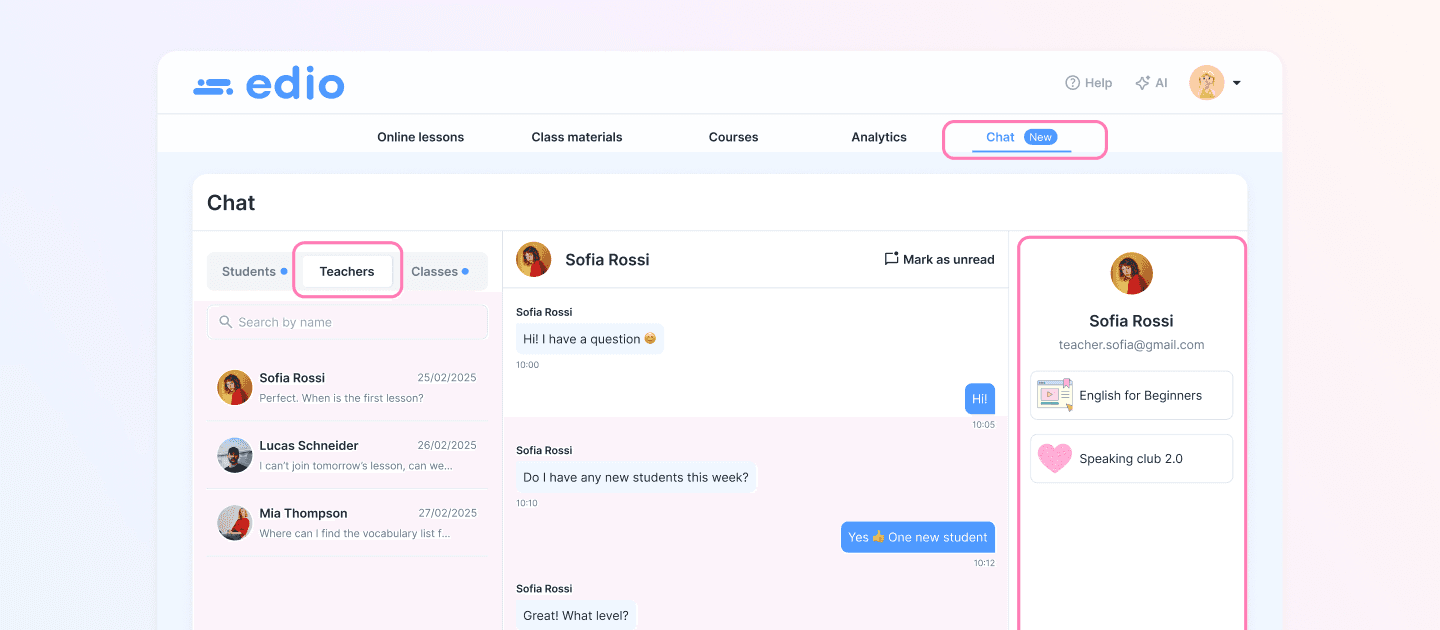
The Teachers tab works the same way for your team. Coordinate schedules, share updates, and stay on top of questions — all without leaving the platform.
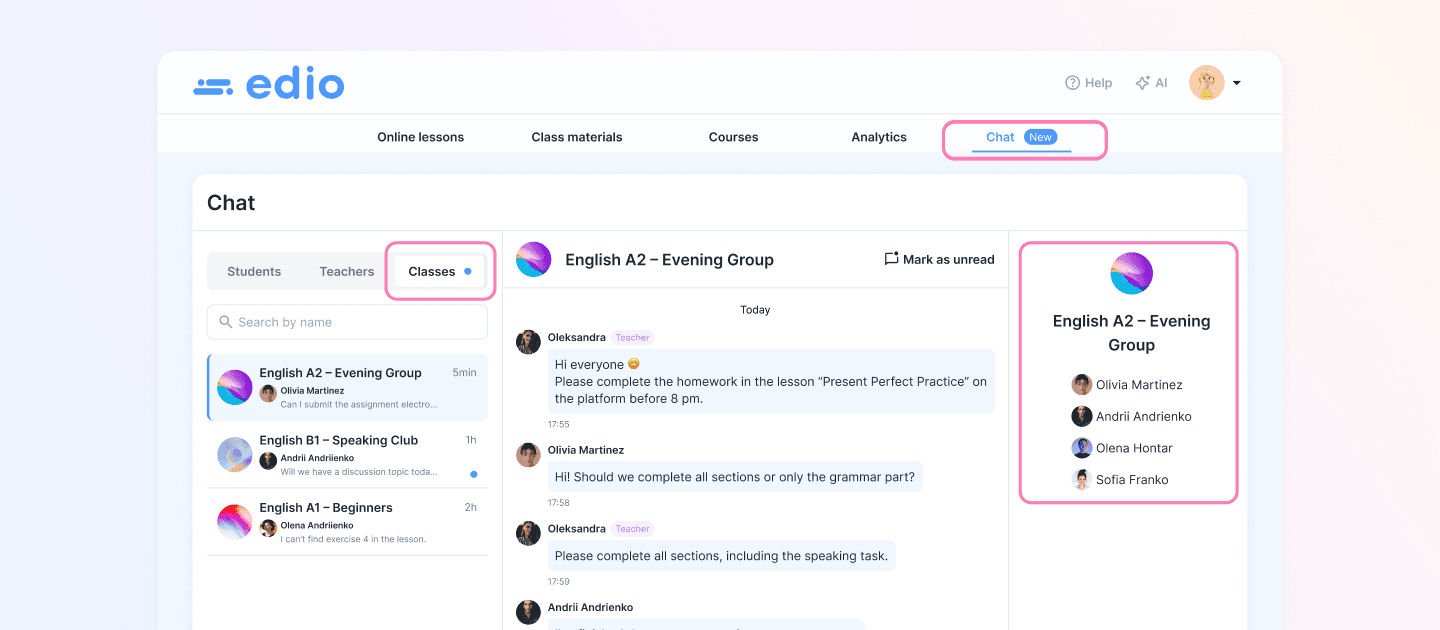
The Classes tab gives you visibility into every group chat across your school. You can see what's being discussed between teachers and students without stepping into the conversation yourself. Whether you manage one class or fifty, nothing slips through.
As a school owner, you have full visibility into all conversations across your school — students, teachers, and classes. This makes it easy to stay in control of communication without being pulled into every chat personally.
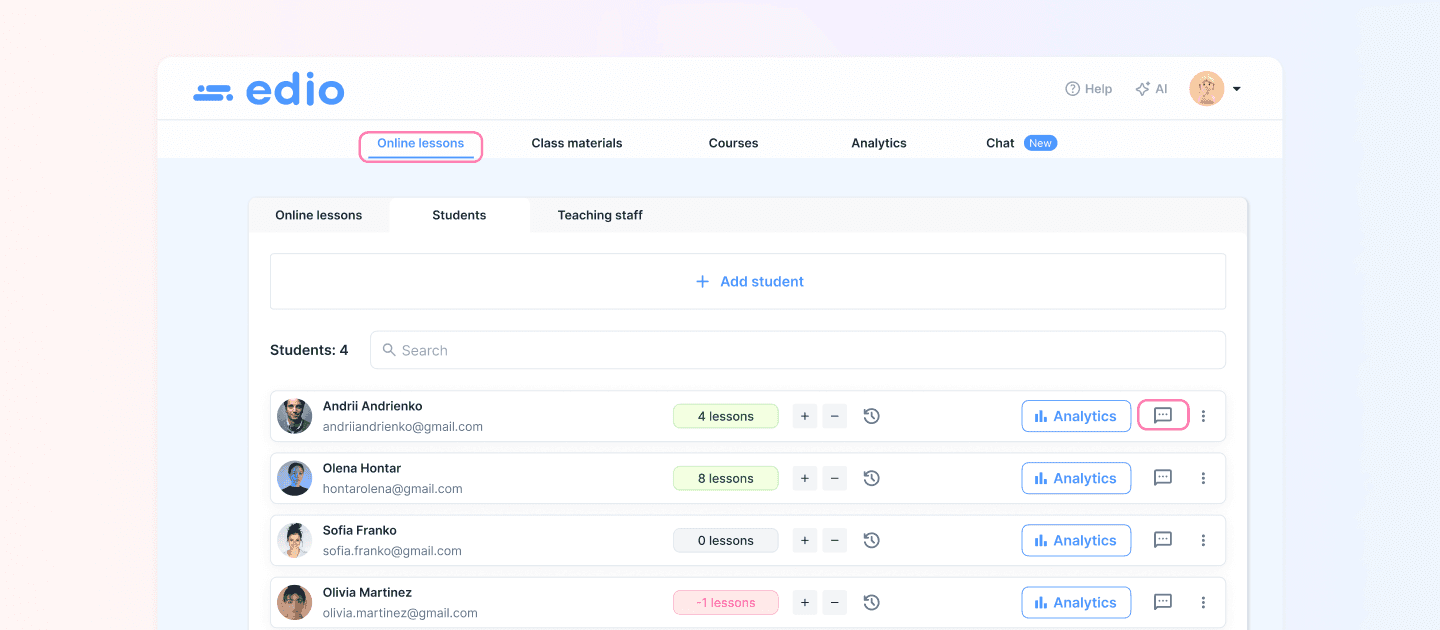
And if you need to message someone quickly — you don't even need to open the Chat tab. From the Online lessons page, just click the message icon next to any student or teacher's name and you're there in one click.
For teachers
Teachers get their own dedicated Chat space. All group chats for the classes they teach are right there — easy to follow, easy to respond to. They can communicate with students directly and stay connected with the school, all in one place.
For students
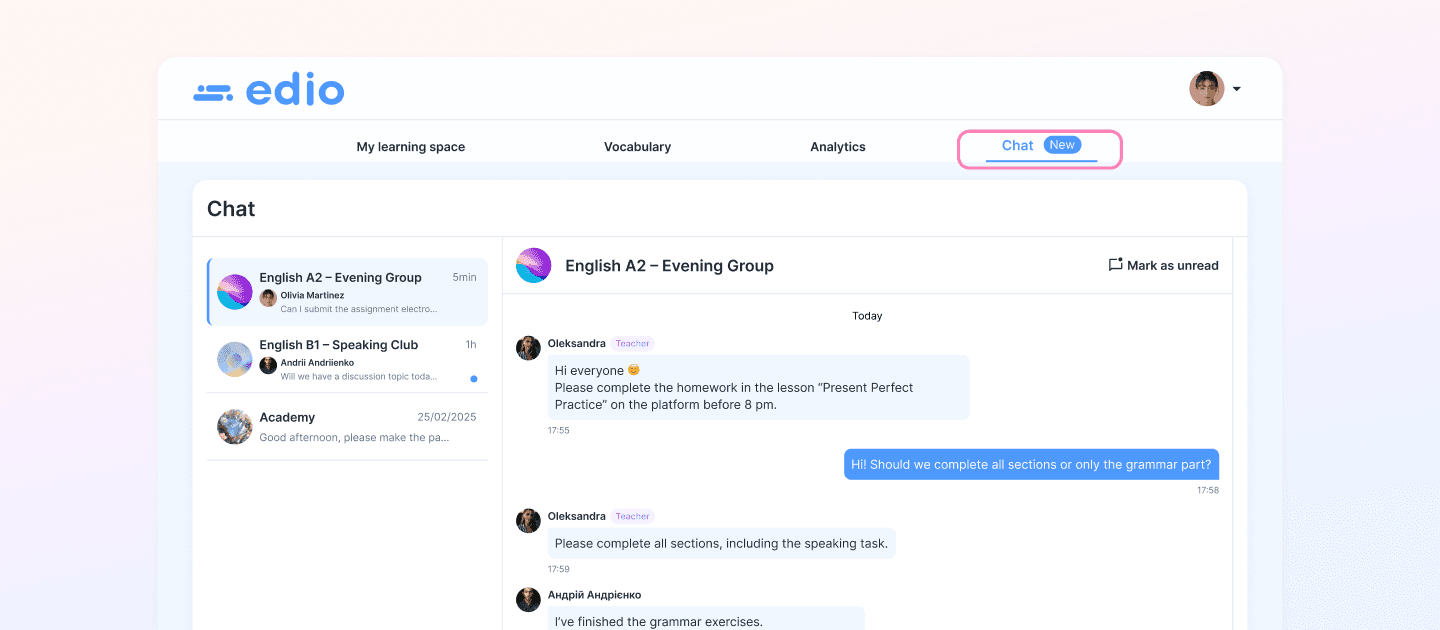
Students see Chat as part of their learning experience. They can follow class conversations, ask their teacher a question, or reach out to the school — without leaving the platform or using any extra apps.
Chat inside the virtual classroom
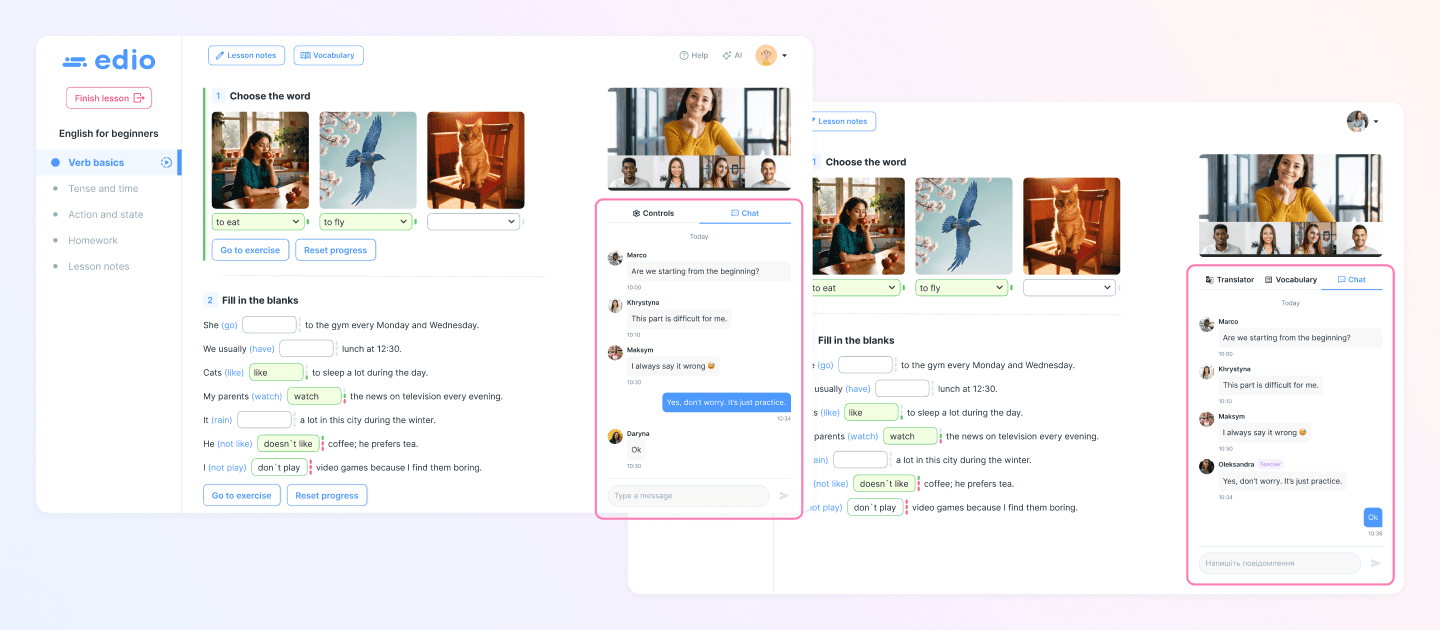
Communication doesn't stop when the lesson starts. During live virtual classes on edio, both teachers and students can exchange messages in real time — without interrupting the flow of the lesson.
For teachers, the chat sits right next to the student switcher. For students, it's in the side panel alongside the Translator and Vocabulary tools. Everything in one place, right when it's needed.
What this means for your language school
A built-in chat isn't just a convenience feature — it changes how your school operates. Less time switching between apps means more time focused on teaching. Students get faster responses. Teachers stay aligned with the school. And you, as the owner, have full visibility without being pulled into every conversation.
If you're looking for an online language teaching platform that handles communication the right way, edio is worth exploring.