New features: vocabulary training, lesson balance & improved lesson search
Here’s a new update on edio.
We continue improving the platform for language schools and teachers, making learning more interactive and school management more efficient.
This update introduces new tools for student engagement, better lesson management, and improved workflows inside virtual classrooms.
Vocabulary practice in students’ personal dictionaries
We’ve significantly improved the personal vocabulary dictionary for students.
Now, students can not only collect words during lessons but also practice them directly in their account, turning passive vocabulary into active knowledge.
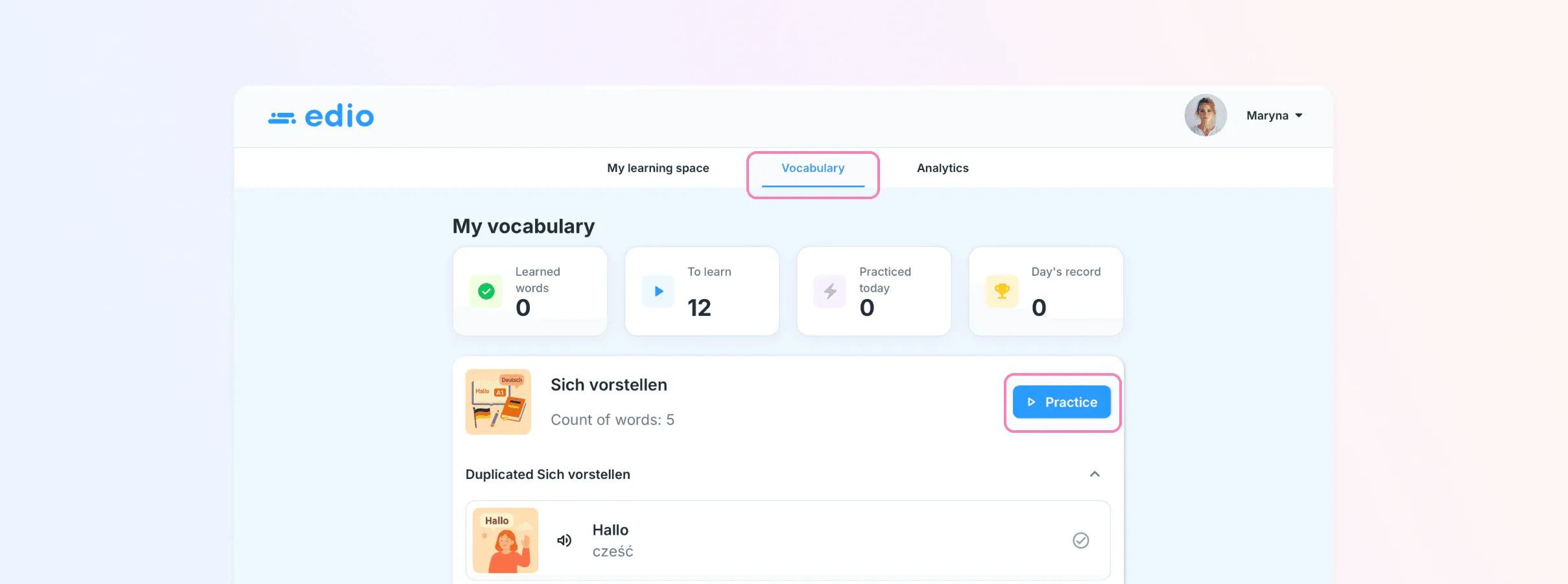
To start practicing, students need to go to the “Vocabulary” section in their profile.
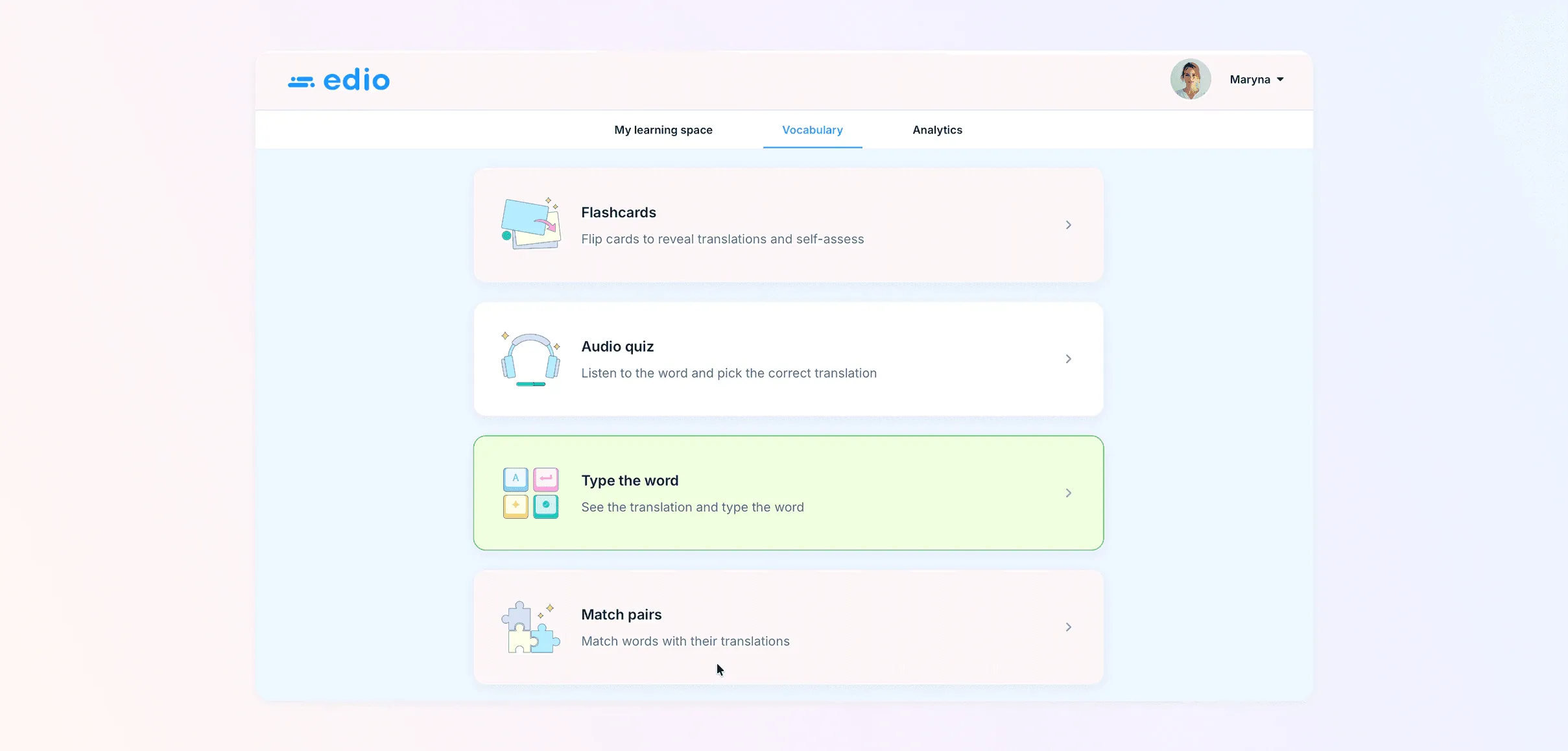
There are four types of exercises available:
- word flashcards
- listening exercises
- matching words with translations
- typing words based on the translation
Students can also track their progress:
- how many words they need to learn
- how many words they have learned today
- their highest achievement over the entire period
This feature helps increase student engagement, supports consistent vocabulary practice, and improves long-term retention.
Paid lesson balance
We are introducing a new feature for language school management — the paid lesson balance system.
Now you can see how many paid lessons each student has remaining.
How it works:
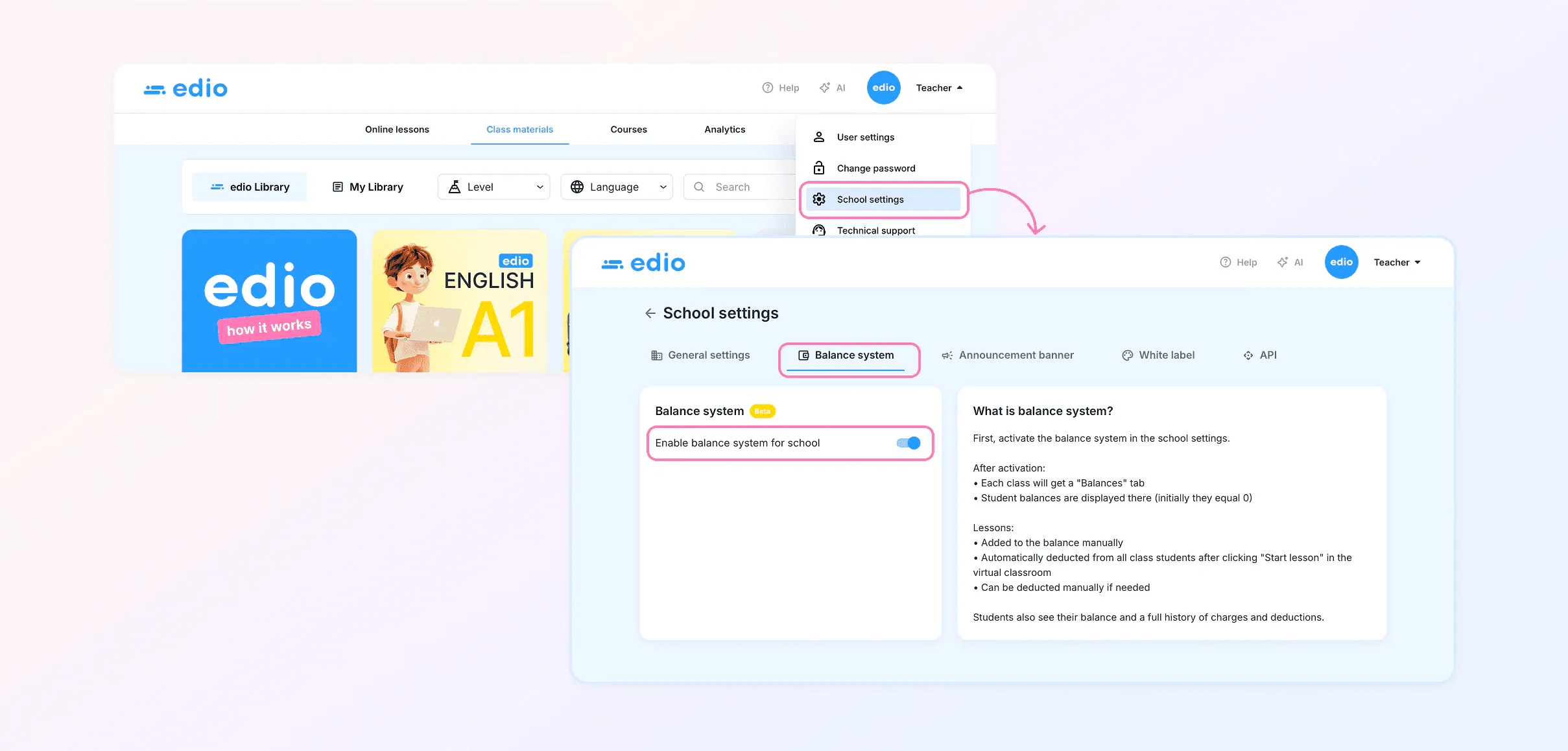
- Go to School Settings
- Open the Balance System section and enable the feature
Then:
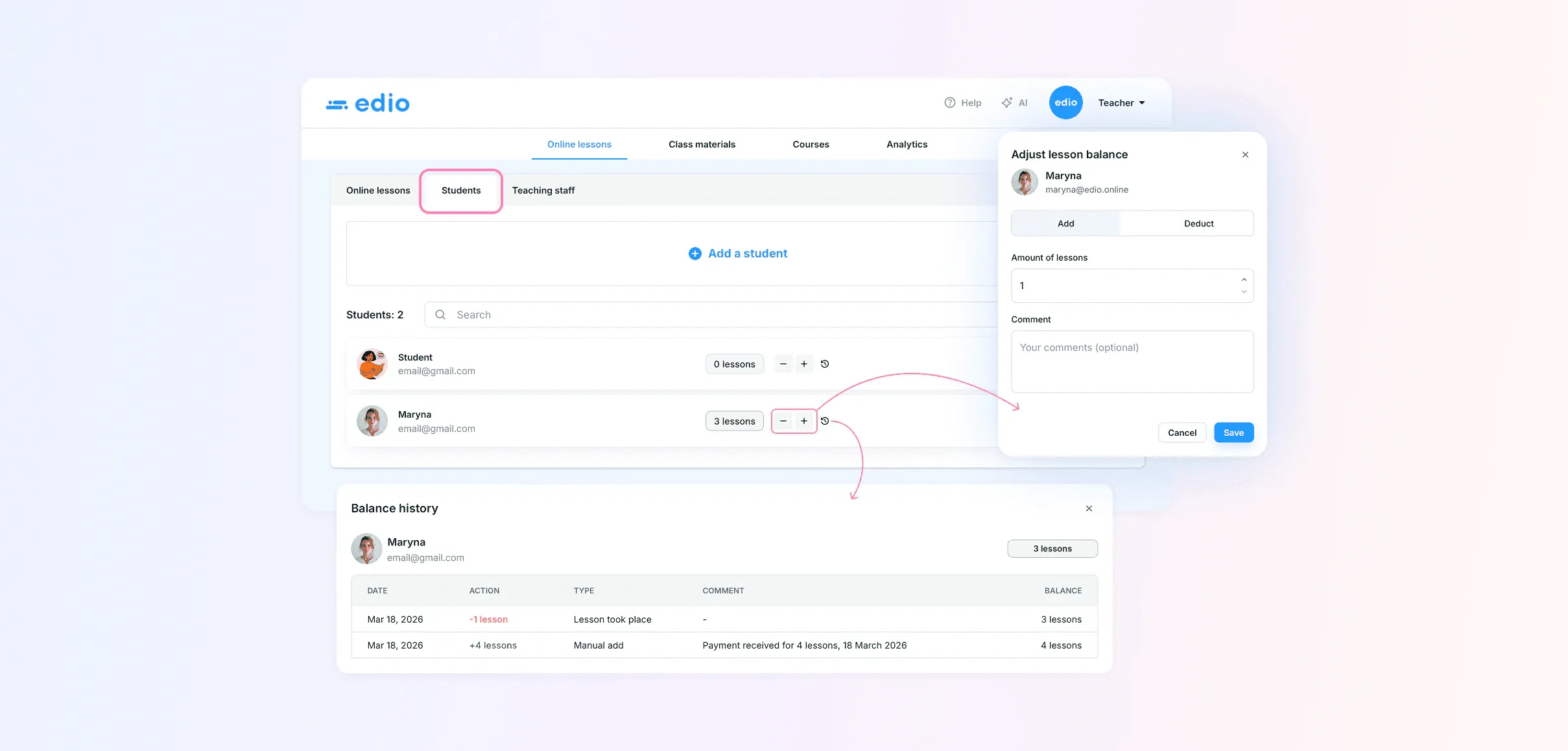
- Go to Virtual Classes → Students
- Set the number of paid lessons for each student
After activation:
- the system automatically deducts one lesson from the balance after each completed class
- you can check the balance in the Students section or by clicking “More” in a virtual class
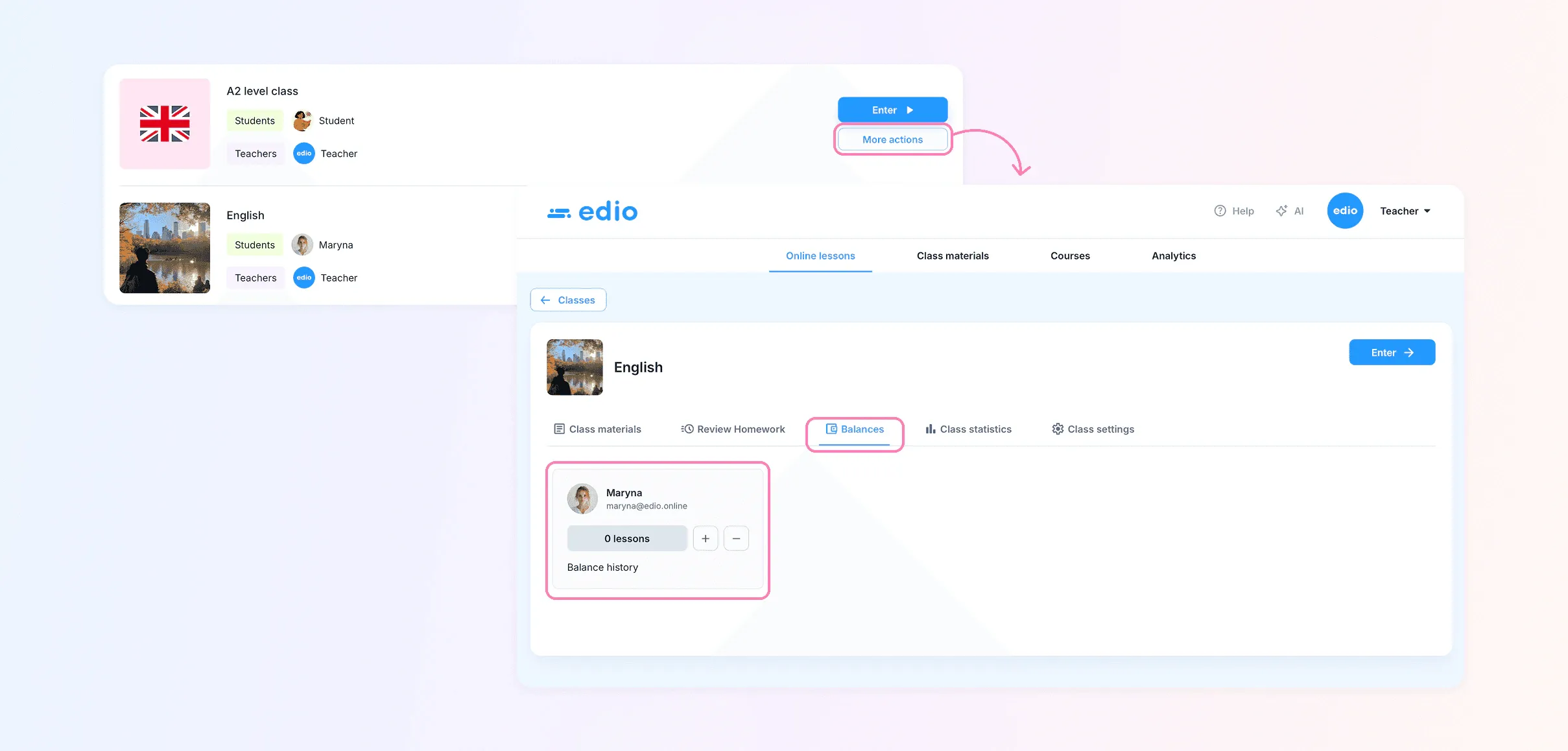
This feature simplifies financial tracking, reduces manual work, and improves lesson management.
Lesson search during class and new lessons in the library
We’ve improved how you work with your lesson library during virtual classes.
Now you can:
- quickly search for lessons by title
- instantly open materials during a lesson
- navigate your content more efficiently
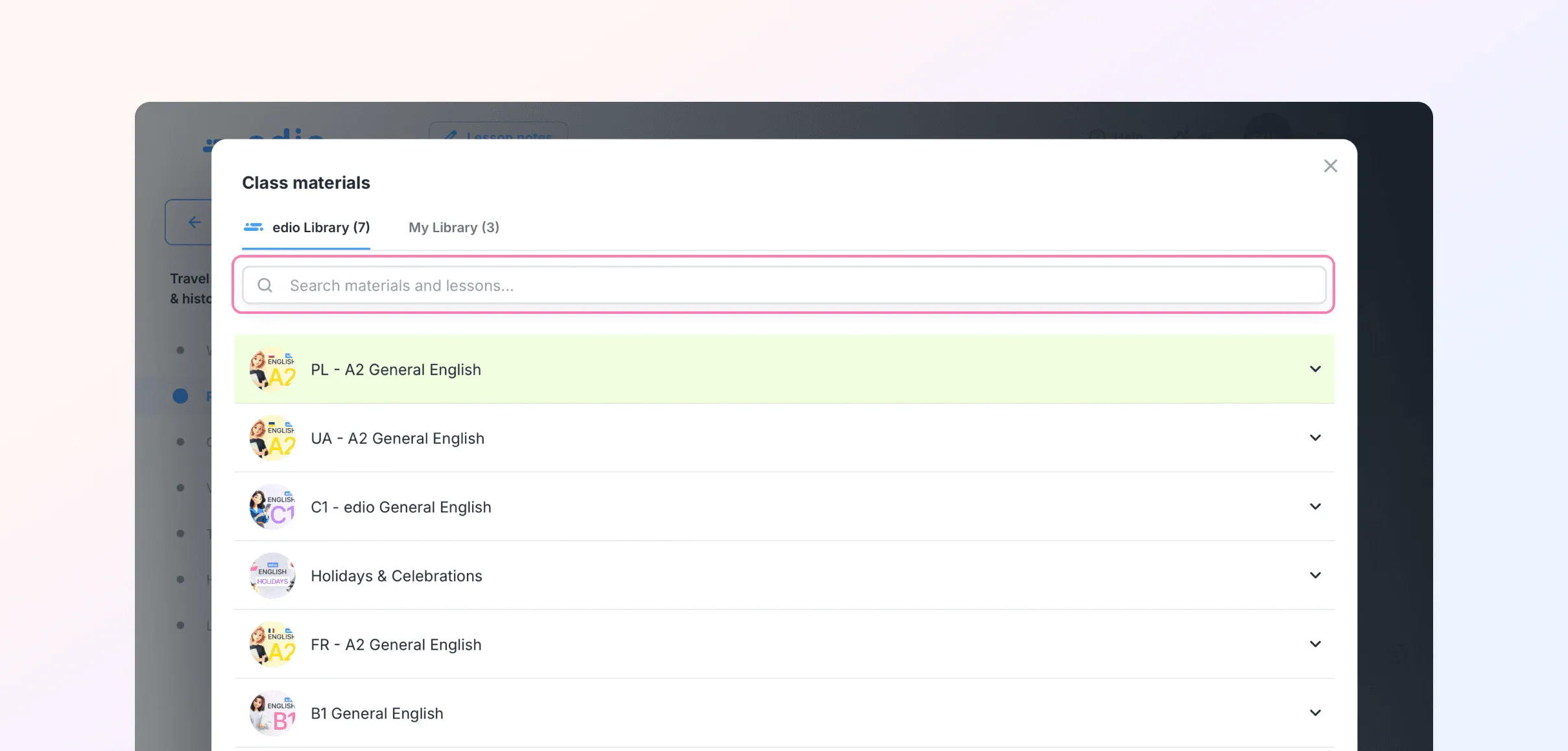
In addition, three new C1-level lessons have been added to the edio library.
This makes teaching smoother and reduces time spent searching for materials during lessons.
Technical improvements
We have also:
- improved overall platform performance
- fixed minor bugs
- updated the school management interface
- improved the virtual classroom settings
Related posts
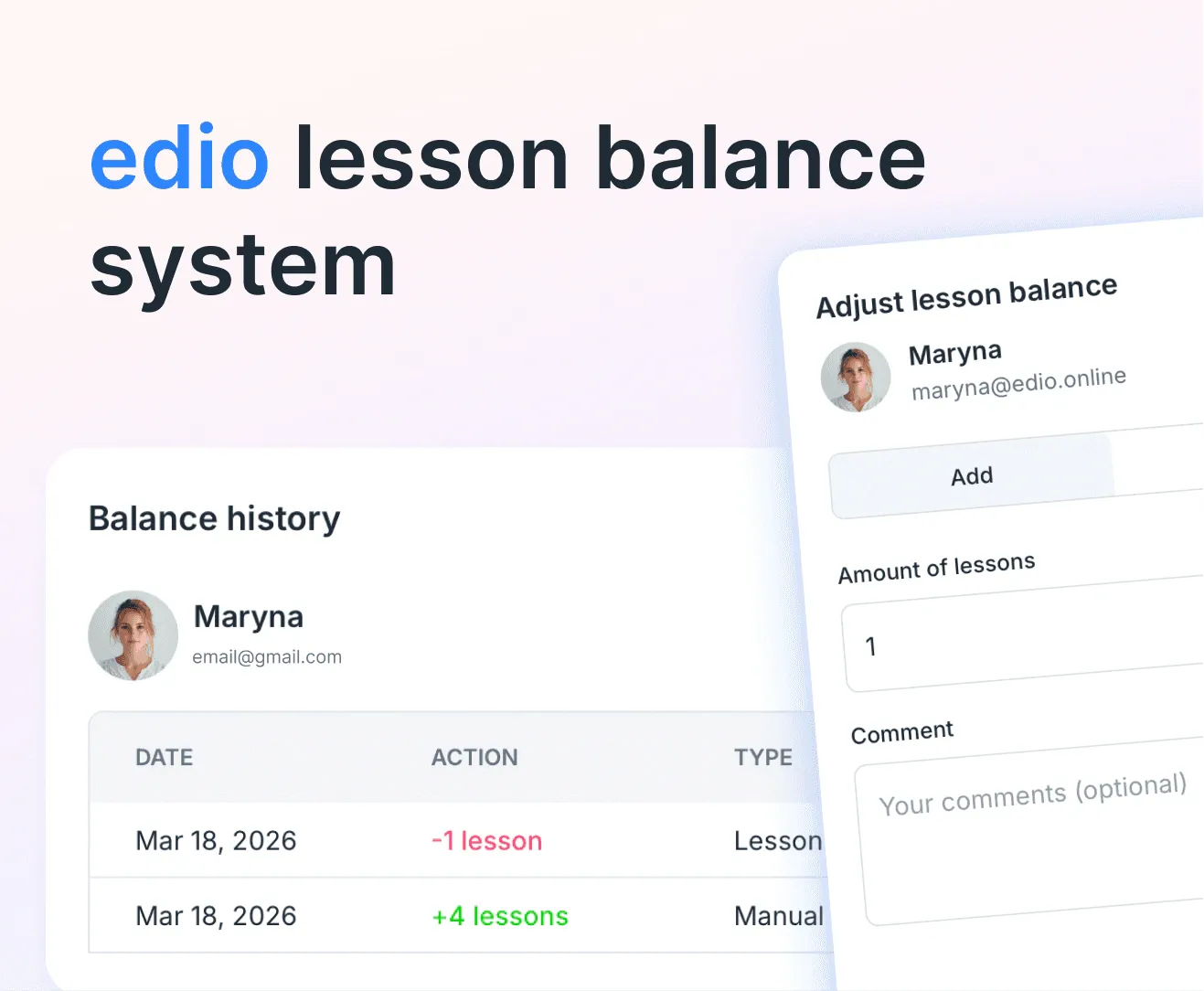
How to Track Prepaid Lessons in an Online Language School (Without Spreadsheets)
Discover how edio's lesson balance system lets teachers add, deduct, and track prepaid lessons per student — with full history, automated deductions, and a clean student-facing view.
February 2026 update: announcement banner and shared lesson notes
New features: school announcement banner, shared lesson notes, and student search by email within courses.
AI chat and 30 new exercise types
Edit lessons with AI chat, choose cover styles and natural voices, and try 30 new exercise types: real-life documents, games and more.