The Google Classroom alternative for language schools (2026)
Google Classroom is where many schools hand out and collect work. edio is built for teaching languages live: the lesson itself, the live class, homework and the school’s records, in one place.
15,000+ students and 110,000+ lessons taught with edio
Compare features.
edio and Google Classroom, side by side.
edio vs Google Classroom: summary
In short
Google Classroom organises assignments for a class. edio makes whole interactive language lessons, runs them live and keeps homework, attendance and prepaid lessons in the same place.
Google Classroom is built for handing out work, collecting it and grading it, with Docs, Forms, Drive and Meet around it. The lesson itself happens somewhere else: on a video call, on a shared screen or on paper.
edio is the lesson. It builds a language lesson with the exercises inside, runs it with your students in a virtual class and records what happens after it, from homework to each student’s prepaid lessons.
Pricing: what you pay for
In short
Google Classroom is free with a personal Google account, and free for qualifying schools through Workspace for Education Fundamentals. edio has a 7-day free trial and plans from €20 a month for up to 5 students.
With a personal account, Classroom has fewer features than with a school account. The free school edition is for institutions that meet Google’s eligibility rules, and paid editions add more tools. A free Classroom still leaves you to find exercises, run the live lesson and keep lesson balances somewhere else.
edio’s price depends on how many students you teach, and every plan includes the virtual class, the AI lesson generator, the lesson library and the school tools, with more AI credits as the plan grows.
Google Classroom
- Personal accountFreeClassroom outside a school, with fewer features
- Education FundamentalsFreeFor qualifying institutions
- Paid editionsFrom $3 per student a yearEducation Standard, Teaching and Learning, Education Plus
edio
- Free trial7 daysEvery feature, up to 5 students, no credit card
- Starter€20 a monthUp to 5 students, or €200 a year
- Every planEvery featureVirtual class, AI generator, library and school tools
Prices from the public pricing pages · Last checked November 2026
Language exercises
In short
Google Classroom’s quizzes come from Google Forms. edio has exercise types made for language practice, and they check themselves.
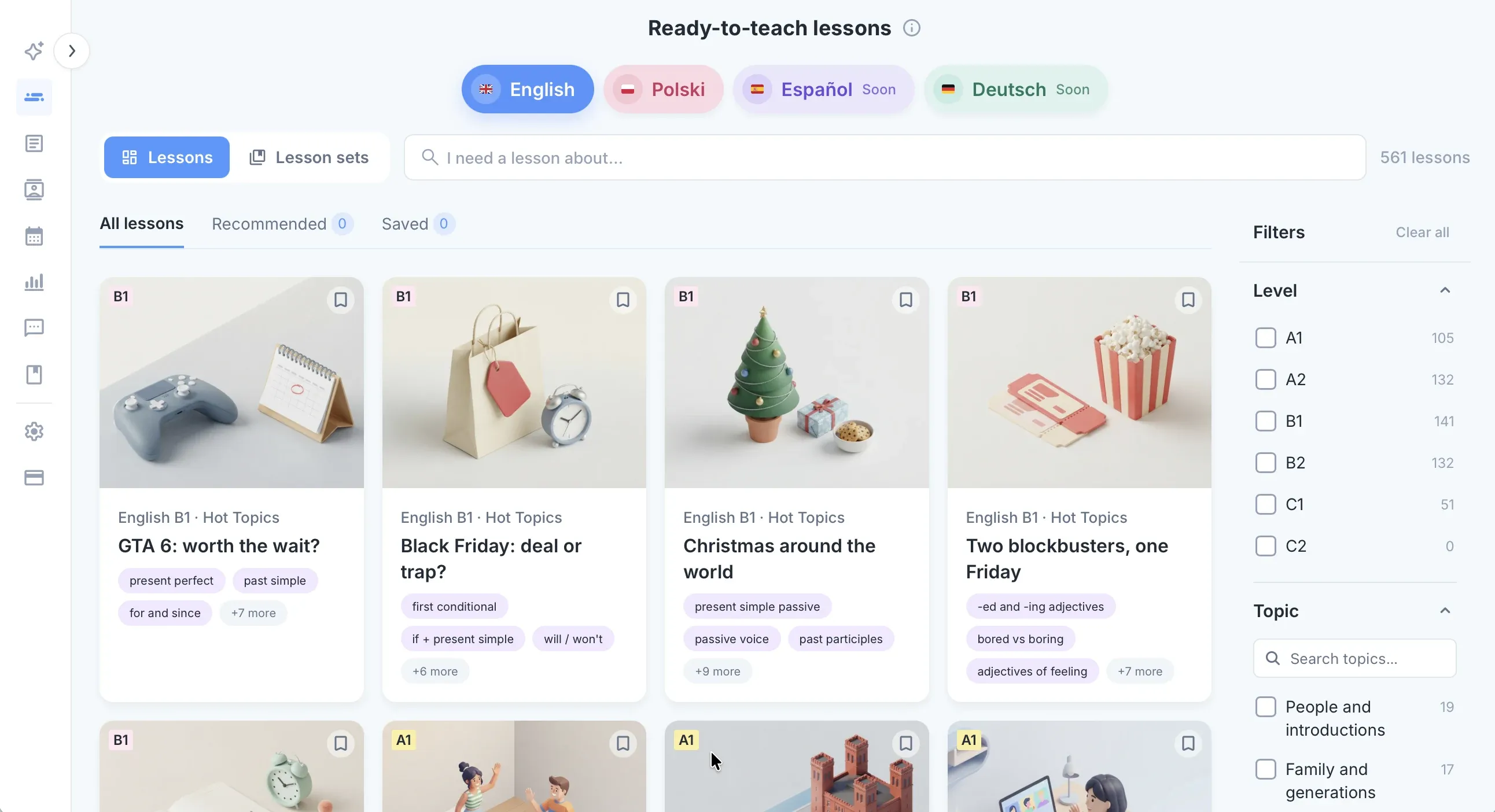
In Classroom you build quizzes in Google Forms or attach worksheets from Drive. edio has 32 exercise types: gap fill, matching, drag and drop, unjumble and speaking tasks, and games such as anagram, memory and spin the wheel. Every answer is checked automatically.
A live lesson, not just an assignment
In short
In Classroom, students open a Meet link and work on their own. In edio, you and your students work on the same lesson at the same time.
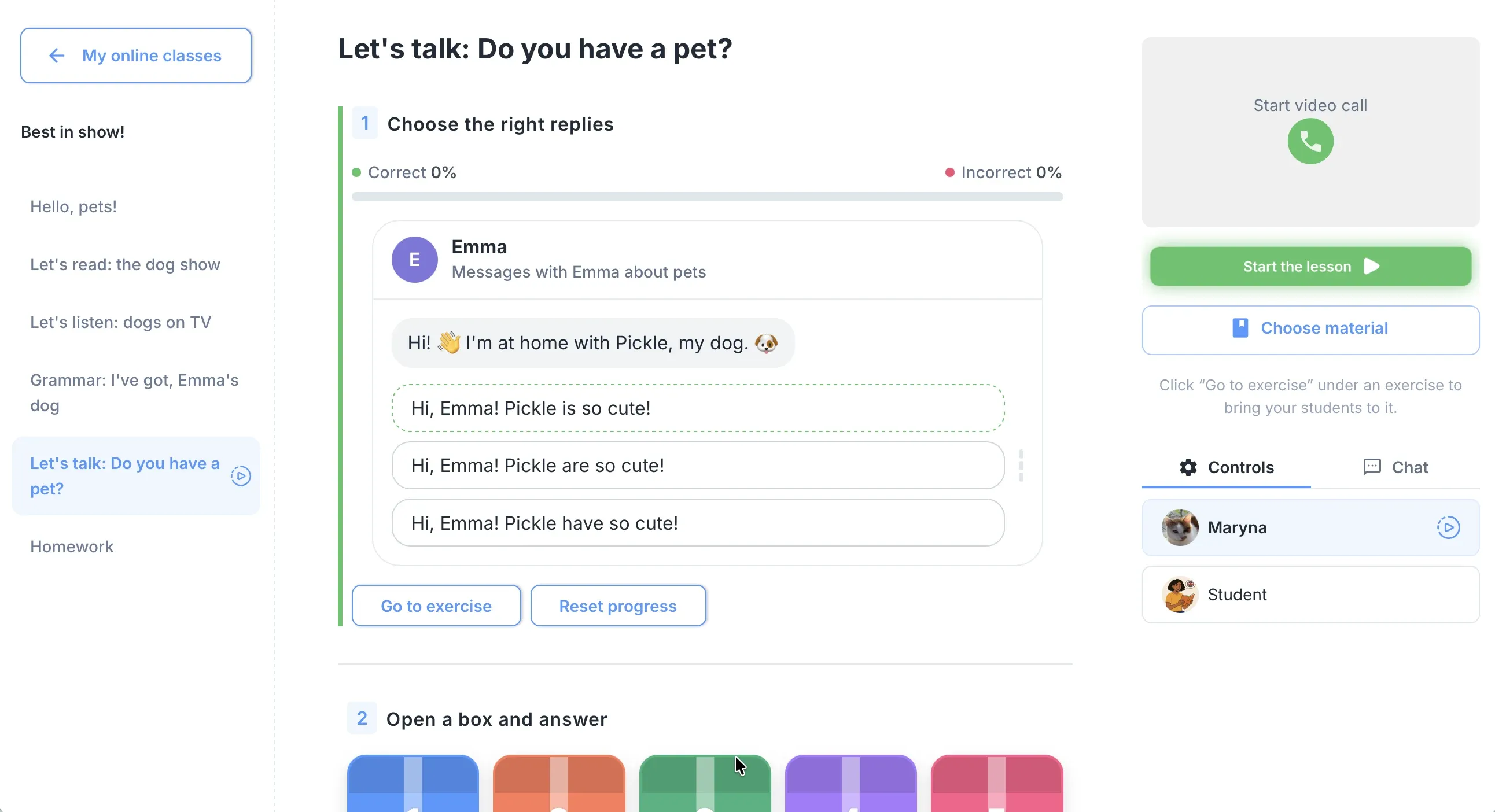
A ready-made edio lesson comes in chapters: warm-up, new words, reading, grammar, practice and speaking, in the order you teach them. Open it in a virtual class and your students work on the same lesson in their own accounts.
Their answers appear as they type, so you see who is stuck before they say it. Video stays in Zoom or Meet, the way you run it now.
AI lesson preparation
In short
Gemini in Classroom gives teachers general AI tools. edio’s generator builds a whole interactive language lesson in about a minute.
Google offers Gemini in Classroom, a set of AI tools for teachers, at no extra cost in every Workspace for Education edition. They help with general teaching tasks across subjects.
edio’s lesson generator is made for language lessons. Give it a topic, a PDF or an image, and it builds a full lesson with exercises, ready to edit before class. Your old worksheets don’t go to waste: a PDF becomes interactive exercises that check themselves.
Homework and the school’s records
In short
Classroom tracks assignments and grades. edio also keeps attendance and each student’s prepaid lessons, for every teacher in the school.
Assign homework from the lesson you just taught and see what is submitted, checked or pending. Attendance and each student’s prepaid lessons are recorded after every lesson, so you don’t need a separate spreadsheet.
Owners, admins and teachers work in one school account, with one calendar for every teacher.
Why language teachers choose edio
In short
Google Classroom hands out and collects assignments in any subject. edio runs the language lesson itself, live and as homework, and keeps the school’s records.
edio fits language schools and tutors who teach live. Teachers open a ready-made or AI-built lesson in the virtual class, students answer on their own screens, and the exercises check themselves.
Homework, attendance and prepaid lessons are recorded for every student, so the school sees each group’s progress without spreadsheets. There is no limit on teachers, and plans depend only on the number of students.
Moving from Google Classroom?
We’ll plan your switch with you
Book a short demo. We’ll look at how you teach now, show you edio and plan the move together, so your students don’t miss a lesson.
More comparisons.
How edio compares with other tools teachers use.
Frequently asked questions
Is edio a good Google Classroom alternative for language schools?
Can students do homework in edio?
Does edio have AI?
Can several teachers work in one edio school?
Does edio replace Zoom or Google Meet?
Can I try edio for free?
Try edio for your language school
7-day free trial · AI credits included · No credit card required