The Miro alternative
for language teachers (2026)
Many teachers build lessons on Miro boards, often on the free Miro for Education plan. edio is built for the language lesson itself: exercises that check themselves, the live class, homework and your students’ records, in one place.
15,000+ students and 110,000+ lessons taught with edio
Compare features.
edio and Miro, side by side.
edio vs Miro: summary
In short
Miro is an online whiteboard for any kind of team. edio is a platform for language lessons, with exercises that check themselves, homework and student records in the same place.
On a Miro board you place every word, picture and sticky note yourself, and you check the answers by looking at them. It works for any subject and any kind of group work, and homework and progress live somewhere else.
edio starts with the lesson. It builds a language lesson with the exercises inside, runs it with your students in a virtual class, checks their answers and keeps track of homework, attendance and prepaid lessons afterwards.
Pricing: what you pay for
In short
Miro’s Education plan is free for teachers and students who apply and qualify, and other teams can use a Free plan with 3 editable boards. edio has a 7-day free trial and plans from €20 a month for up to 5 students.
To get Miro for Education, you apply with proof that you teach or study at an educational establishment. A private tutor or a language school that doesn’t qualify uses the regular plans, which are priced per team member.
edio’s price depends on how many students you teach, and every plan includes the virtual class, the AI lesson generator, the lesson library and the school tools, with more AI credits as the plan grows.
Miro
- EducatorFreeOn application, forever, teams of up to 100
- StudentFreeOn application, for 2 years, teams of up to 10
- Free$03 editable boards and 10 AI credits a month
- Starter$8 per member a monthUnlimited boards, billed yearly
edio
- Free trial7 daysEvery feature, up to 5 students, no credit card
- Starter€20 a monthUp to 5 students, or €200 a year
- Every planEvery featureVirtual class, AI generator, library and school tools
Prices from the public pricing pages · Last checked November 2026
Exercises that check themselves
In short
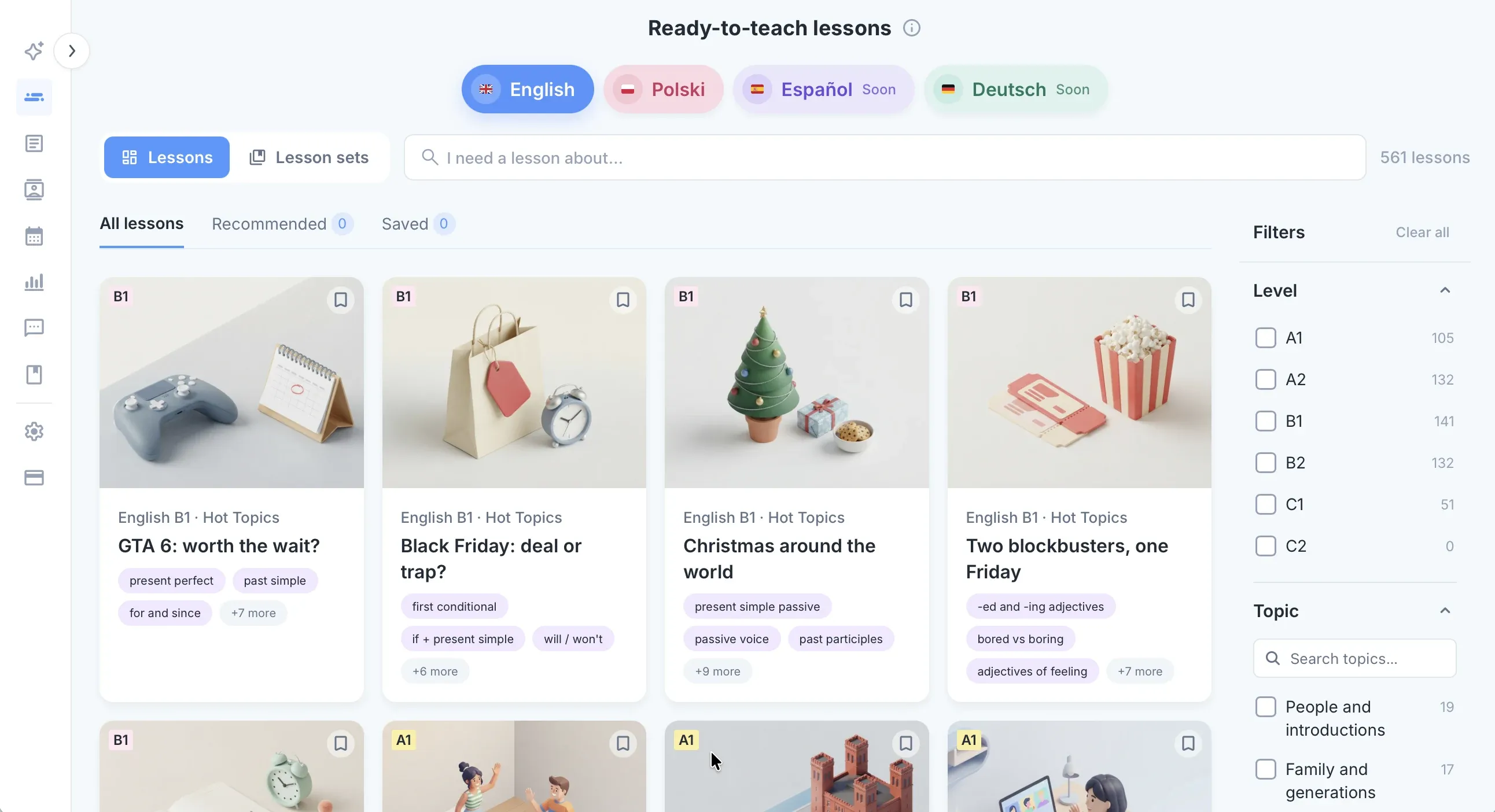
On a board you build every exercise by hand and check it by eye. In edio exercises are ready to use and check every answer.
edio has 32 exercise types: gap fill, matching, drag and drop, unjumble and speaking tasks, and games such as anagram, memory and spin the wheel. Students see right away what they got right, and you see every answer without collecting screenshots.
When a task needs drawing or writing by hand, students can draw and write on a picture inside the lesson.
Whole lessons, taught live
In short
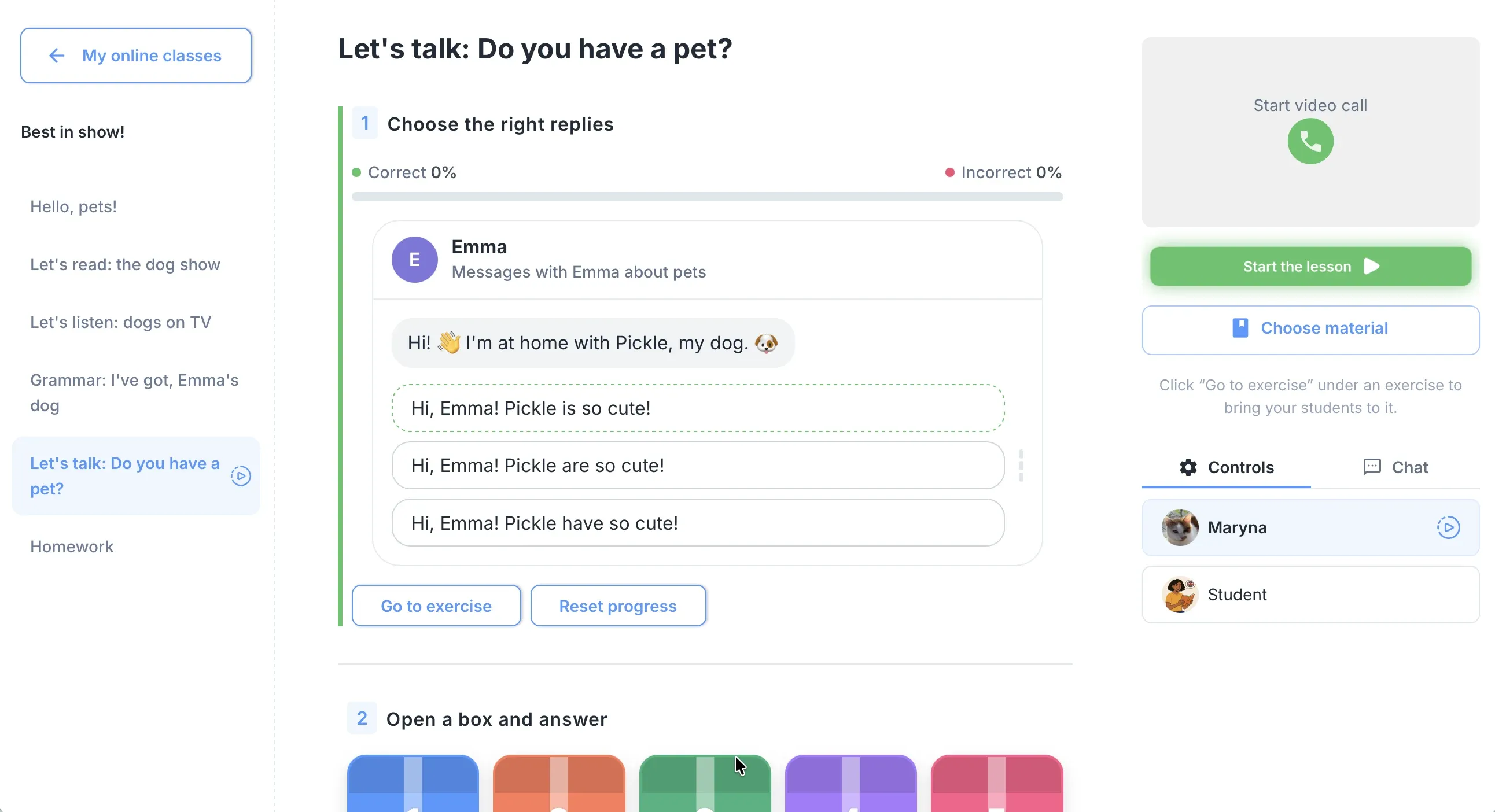
Both let you work with students in real time. In edio the lesson is already there, chapter by chapter, instead of a board you lay out before class.
A ready-made edio lesson comes in chapters: warm-up, new words, reading, grammar, practice and speaking, in the order you teach them. Open it in a virtual class and your students work on the same lesson in their own accounts.
Their answers appear as they type, so you see who is stuck before they say it. Video stays in Zoom or Meet, the way you run it now.
AI lesson preparation
In short
Miro AI helps you create and change things on a board. edio’s generator builds a whole interactive language lesson in about a minute.
Give edio a topic, a PDF or an image, and the lesson generator builds a full lesson with exercises, ready to edit before class. Your old worksheets don’t go to waste: a PDF becomes interactive exercises that check themselves.
Homework and student records
In short
A Miro board is shared, not assigned. edio keeps homework, attendance and prepaid lessons for every student in one place.
Assign homework from the lesson you just taught and see what is submitted, checked or pending. Attendance and each student’s prepaid lessons are recorded too, whether you teach alone or run a school with several teachers.
Why language teachers choose edio
In short
Miro is a whiteboard for any team. edio is built for language lessons: ready lessons, exercises that check themselves and student records together.
edio fits language teachers and schools who teach live, one-to-one or in groups. Instead of laying out a board before class, you open a ready-made or AI-built lesson, and students work in it on their own screens.
Every answer is checked as students type, homework comes from the same lesson, and attendance and prepaid lessons are recorded for every student. It works for a single tutor and for a school with many teachers.
Moving from Miro?
We’ll plan your switch with you
Book a short demo. We’ll look at how you teach now, show you edio and plan the move together, so your students don’t miss a lesson.
More comparisons.
How edio compares with other tools teachers use.
Frequently asked questions
Is edio a good Miro alternative for language teachers?
Do I have to build lessons myself in edio?
Do edio exercises check themselves?
Can students draw in edio?
Does edio replace Zoom or Google Meet?
Can I try edio for free?
Try edio for your language school
7-day free trial · AI credits included · No credit card required