8 Best Interactive Platforms for Online Language Teachers (2026)
This list is about tools for teaching your own students online, not marketplaces such as Preply or italki that find students for you. An interactive platform lets students act on their own screens: they answer, drag, match and speak, the answers are checked, and you see what each student does while you teach.
The eight platforms below do that in different ways. Some run the whole lesson, some are a video room with a whiteboard, and some make games or materials you bring into a lesson. We checked each one's own website in November 2026; prices vary by region and change often, so we describe how each one charges.
The list at a glance
- edio.ai: interactive lessons, an AI lesson generator, homework and school tools in one platform
- LearnCube: a virtual classroom with a whiteboard and an ESL content library
- Lessonspace: a browser classroom with a whiteboard, paid by the hour
- Twee: an AI tool for CEFR-level ESL materials
- Wordwall: games and quizzes from one word list
- Genially: interactive presentations, games and live quizzes
- BookWidgets: self-grading exercises and homework for schools on an LMS
- Miro: an online whiteboard, free for teachers through Miro for Education
1. edio.ai: the lesson, the homework and the school
This is our product, so read this one with that in mind.
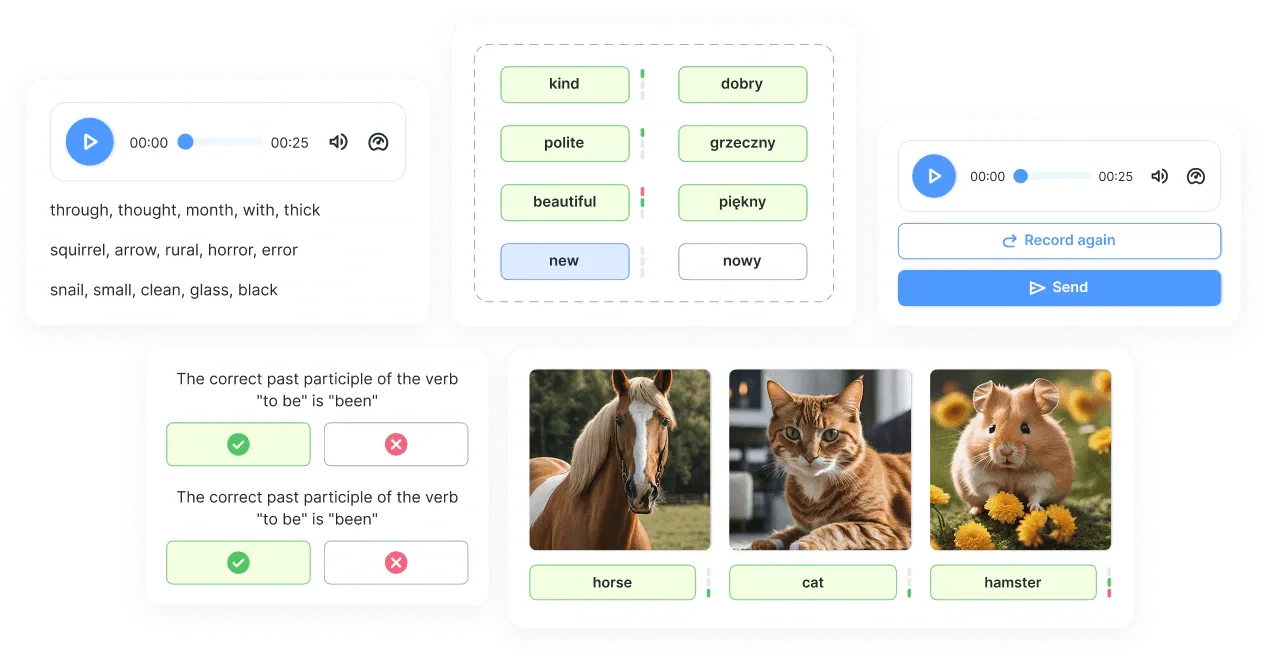
In edio.ai, you and your students work in the same lesson at the same time. Students answer on their own computer, tablet or phone, the exercises check themselves, and their answers appear in your view as they type. Video runs in Zoom or Google Meet alongside.
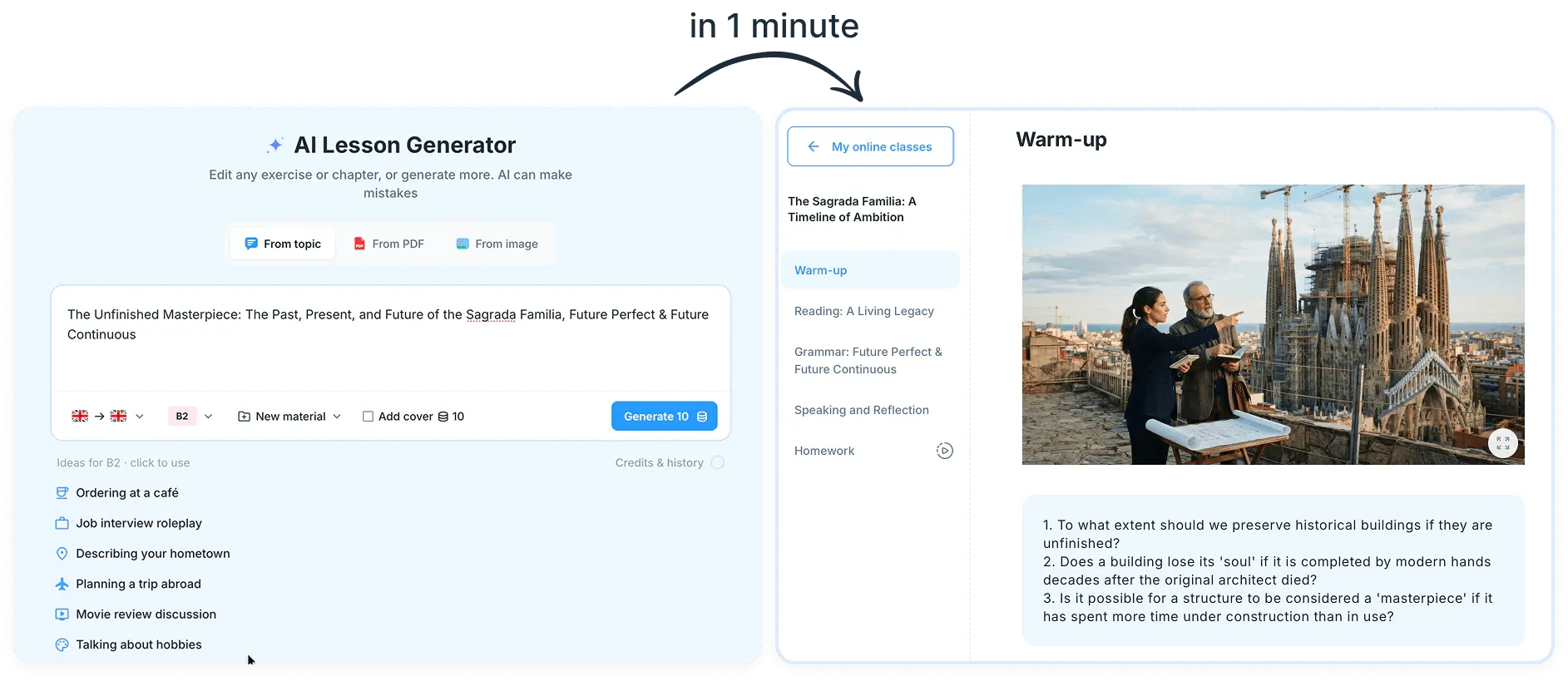
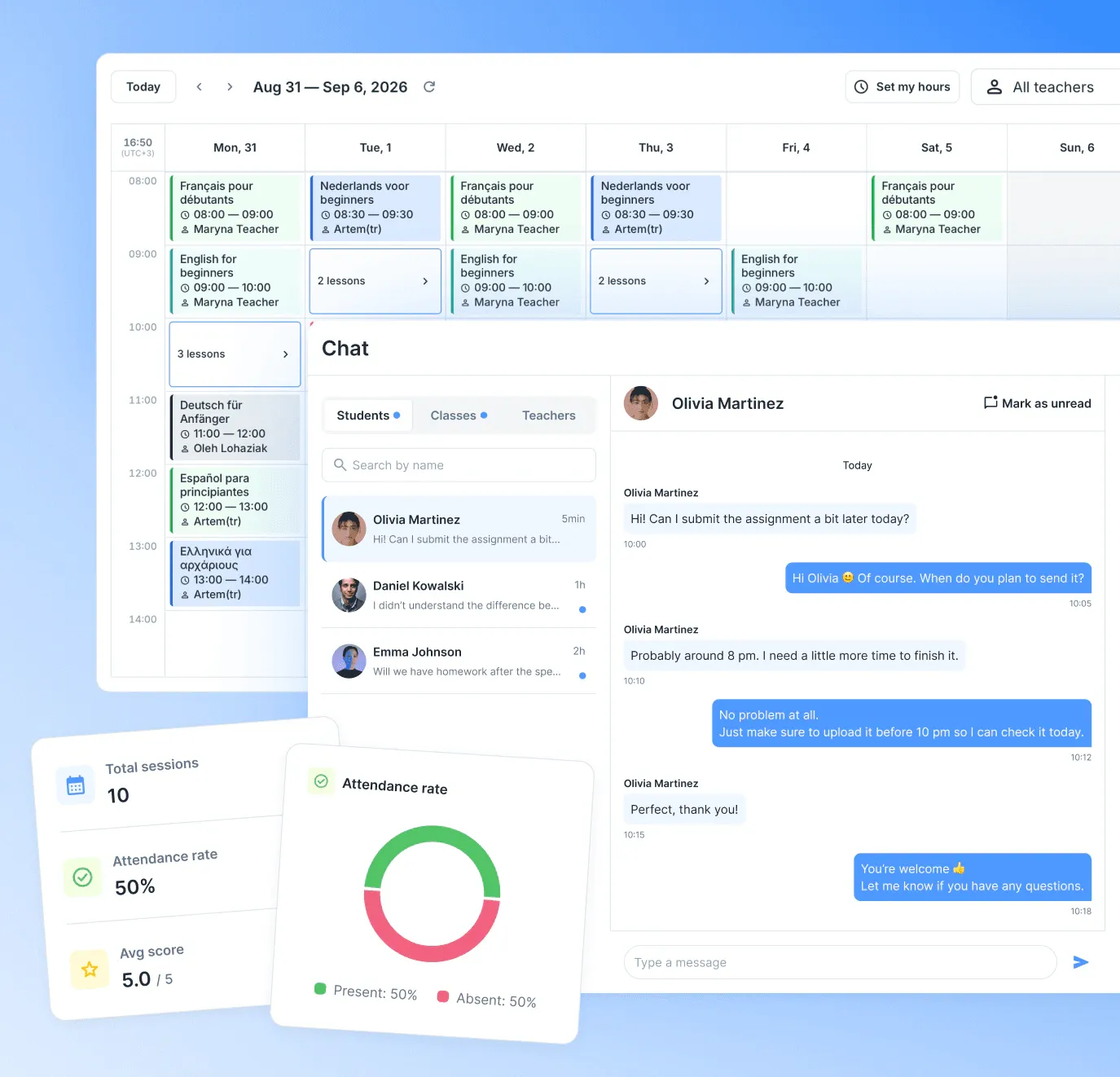
The AI lesson generator turns a topic, a PDF or an image into a whole lesson in 18 languages, from warm-up to homework, and the edio library has ready-made courses for English A1–C1 and Polish A1–B2. After class, the same lesson becomes homework with automatic checking. For schools, there's a shared calendar, a school chat and tracking of prepaid lessons.
- Best for: tutors and schools who want lessons, homework and progress in one place
- Pricing: by the number of students, from €20 a month for 5
- Free trial: 7 days, no credit card
Start your free 7-day trial: every feature, up to 5 students, no credit card.
2. LearnCube: a virtual classroom for language teachers
LearnCube is a virtual classroom built for teachers, tutors and language schools, with video, audio and chat in the browser. You teach on an interactive whiteboard where you upload PDFs, slides, audio and YouTube videos, with breakout rooms and recordings for groups. An AI assistant, still in beta, writes exercises that you place on the whiteboard, and an optional ESL library covers CEFR A1–C2, plus French, Spanish and business English. Its Online School plan adds scheduling, reminders and attendance.
- Best for: teachers who want the video room and the whiteboard in one browser tab
- Pricing: monthly plans; the content library is an add-on
- Free option: a free plan for one teacher's one-to-one classes, with LearnCube branding
3. Lessonspace: a classroom you pay for by the hour
Lessonspace is a browser classroom for tutors and tutoring companies. Students join with one click, without signing up, to video, an endless whiteboard, imported documents, screen sharing and recordings, with AI summaries of each lesson. It also has a code editor and a maths editor, so it's popular with STEM tutors, and tutoring software such as TutorBird, Teachworks and Classcard connects to it. It has no exercises or games of its own.
- Best for: tutors who want a simple shared classroom and pay only for the hours they teach
- Pricing: monthly plans with hours included, counted only while two or more people are connected
4. Twee: AI materials for ESL teachers
Twee is an AI tool for language teachers, built around CEFR levels A1–C2. Its 40-plus tools write texts, dialogues, gap-fills, questions, matching tasks and writing prompts, and there's a free library of ESL lessons and worksheets. You can export to PDF, Word or Google Forms, or assign tasks by link or QR code, and paid plans let AI check students' written answers. It doesn't run live lessons.
- Best for: preparing ESL texts and exercises at the right CEFR level, fast
- Pricing: low-cost monthly plans, cheaper when billed yearly
- Free option: a few free runs of each tool
5. Wordwall: one word list, many games
Wordwall turns one list of words or questions into 30-plus activities: quiz, match up, spin the wheel, anagram, group sort and more. Play them on the class screen or send them to students' devices, set them as assignments with results, or print them as worksheets. Paid plans let AI write the activity for you, and there's a huge community library. Read edio.ai vs Wordwall for a detailed comparison.
- Best for: warm-ups, vocabulary games and quick homework quizzes
- Pricing: low-cost monthly or yearly plans, and school plans
- Free option: up to 3 activities
6. Genially: interactive presentations and games
Genially makes interactive presentations, games, quizzes and escape rooms for any subject, with more than 1,000 templates and AI credits for generating content. In its Present Live mode, students join with a code and answer on their own devices, and you get a leaderboard and the results. It connects to Google Classroom and Microsoft Teams.
- Best for: visual lessons, game-style reviews and escape rooms
- Pricing: per teacher, with education plans
- Free option: yes
7. BookWidgets: self-grading exercises for homework
BookWidgets lets teachers build interactive exercises and assignments that grade themselves, for any subject. It has more than 40 exercise templates, including crosswords, bingo and memory games. With live widgets you watch each student's progress while they work, and grades can go straight to Google Classroom, Microsoft Teams, Moodle or Canvas.
- Best for: teachers whose school runs on Google Classroom, Teams or another LMS
- Pricing: yearly subscriptions for single teachers, groups and whole schools
- Free trial: 30 days
8. Miro: a whiteboard for free-form lessons
Miro is an online whiteboard for teams of every kind, and many tutors build lessons on its boards with drawings, sticky notes and mind maps. Through Miro for Education, teachers can apply for a free Educator plan with unlimited boards. A board doesn't check answers, set homework or track progress, so exercises are made and checked by hand. Read edio.ai vs Miro for Education for a detailed comparison.
- Best for: brainstorming, mind maps and free-form visual work
- Pricing: paid plans per team member
- Free option: a free plan with 3 editable boards, and the free Educator plan for teachers who apply
Combine them
You rarely need just one. A common setup is one platform for the lesson itself, plus a tool or two for extras. In edio.ai, Wordwall and Genially activities open inside the lesson, and the Embed block brings in a Miro board or anything else with an embed code, so the games and boards you already have keep working.
How to choose
- You want lessons, homework and progress in one place: edio.ai.
- You mainly need a video room with a whiteboard: LearnCube, or Lessonspace if you'd rather pay by the hour.
- You prepare ESL materials and teach elsewhere: Twee.
- You want quick games for warm-ups and homework: Wordwall or Genially.
- Your school grades homework in Google Classroom or another LMS: BookWidgets.
- You teach with drawings and mind maps: Miro.
Frequently asked questions
What is the best interactive platform for online language teachers?
What is the difference between a teaching platform and a tutoring marketplace?
Are there free interactive tools for language teachers?
Can I use Wordwall, Genially or Miro inside edio?
Related posts
8 Best AI Tools for Language Teachers (2026)
Eight AI tools that language teachers actually use, from chatbots to lesson generators, with what each one is best for and which have free plans.
8 Best Language School Management Software (2026)
Eight tools for running a language school, from admin and billing systems to a platform that runs the lessons too, with who each one suits.
8 Kahoot Alternatives for Language Classes (2026)
Eight Kahoot alternatives for language classes, from self-paced quizzes to team games on one screen, with what each one is best for.