Supervisor role: let parents and HR managers follow progress
Many schools teach learners someone else pays for: children whose parents pay for their lessons, or employees whose company pays for their course. Those people want to know how it's going. Until now, that meant screenshots, spreadsheets and monthly emails from the school.
With the new supervisor role, a parent or an HR manager gets their own account in your school and follows the progress of the students you link to them. They see the student's lessons, marks, attendance and homework, and they can't change anything.
In this update:
- Who is a supervisor?
- Add a supervisor
- Choose the students they follow
- What a supervisor sees
- All their students in one calendar
- For parents and for corporate clients
- Students always know
Who is a supervisor?
A supervisor follows a student's learning without taking part in it. Most schools have two kinds:
- Parents who pay for their child's lessons and want to see that the child attends, does the homework and gets good marks.
- HR or L&D managers at a company that pays for its employees' course and needs to see attendance and results.
A supervisor's account is view only. They can't change anything, do exercises or write to students and teachers. They see only the students you link to them. Supervisors don't take student seats on your plan.
Add a supervisor
School owners and admins add supervisors in a few clicks.
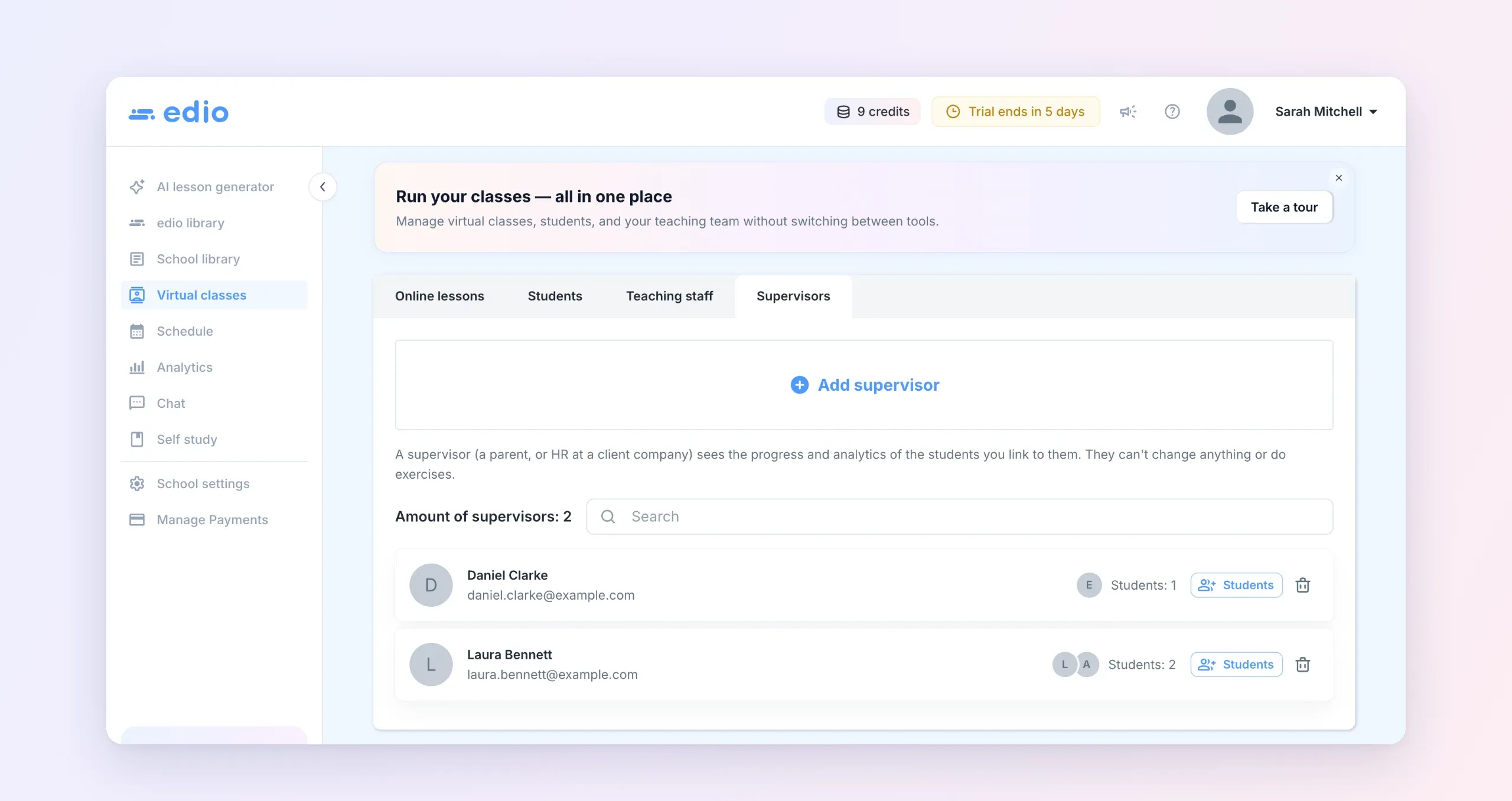
- Open Virtual classes → Supervisors and click Add supervisor.
- Enter the supervisor's email and name, then click Add.
- edio emails them their sign-in details. On the first sign-in, they choose their own password. If they already have an edio account, they just sign in as usual.
Choose the students they follow
Next to each supervisor, click Students, tick the students they should follow and click Save.
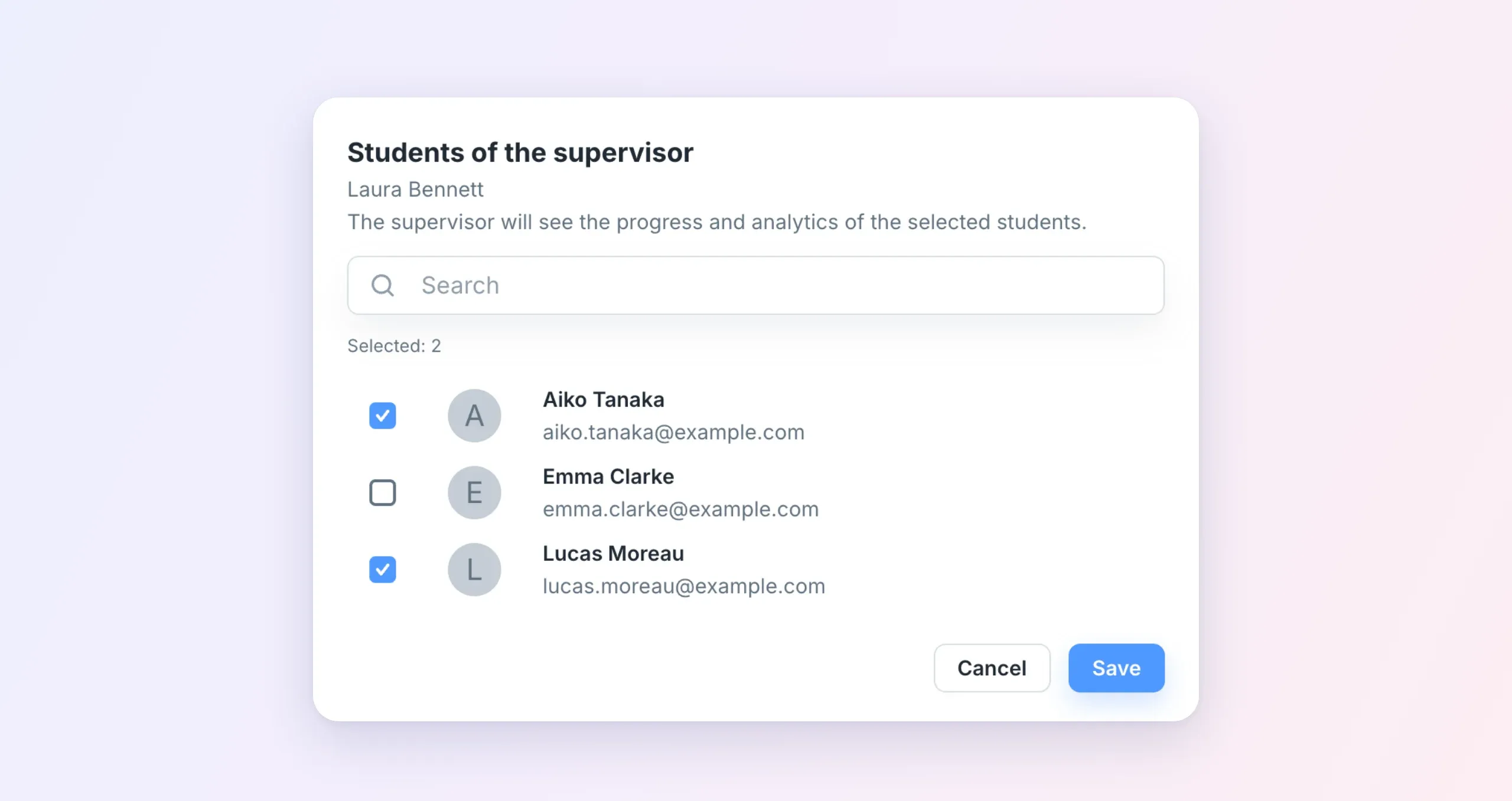
A parent usually follows one or two children. An HR manager can follow everyone from their company. You can change the list at any time, and the bin icon next to a supervisor removes them.
What a supervisor sees
After signing in, a supervisor lands on My students: every student linked to them, with the number of lessons, attendance and average mark. Their menu has just three items: My students, Schedule and Virtual classes.
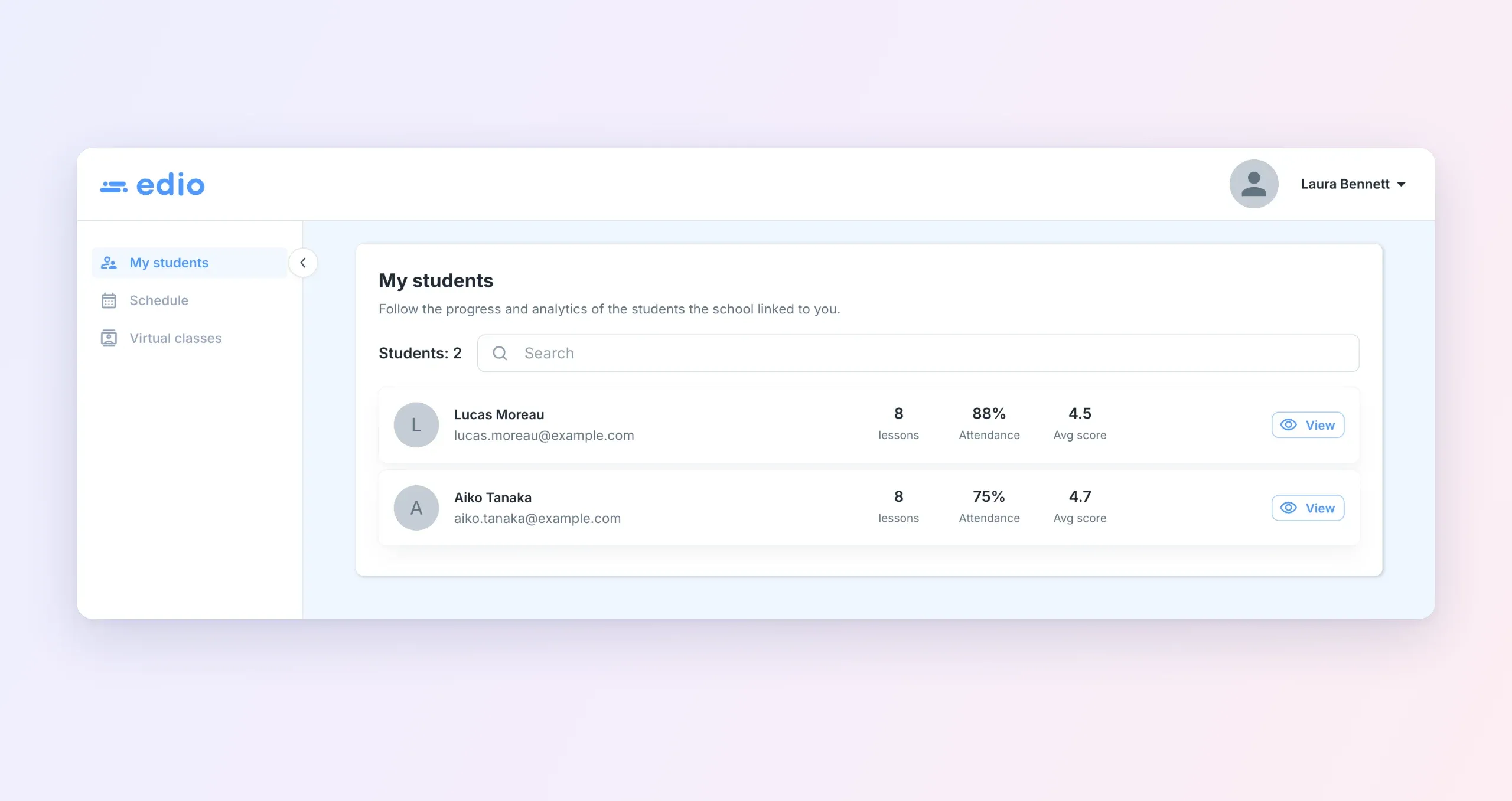
Click View to open a student. Their page is marked View only and has six tabs:
- Learning: the student's classes and teachers, and their self-study courses with the lessons they've finished.
- Homework: the student's open and completed homework.
- Schedule: the student's lessons, week by week.
- Vocabulary: words the student saved from lessons, with translations and audio.
- Chat: the student's chats in the school, to read only.
- Analytics: average mark, attendance, missed lessons and achievements, plus every past lesson with the teacher's mark and comment.
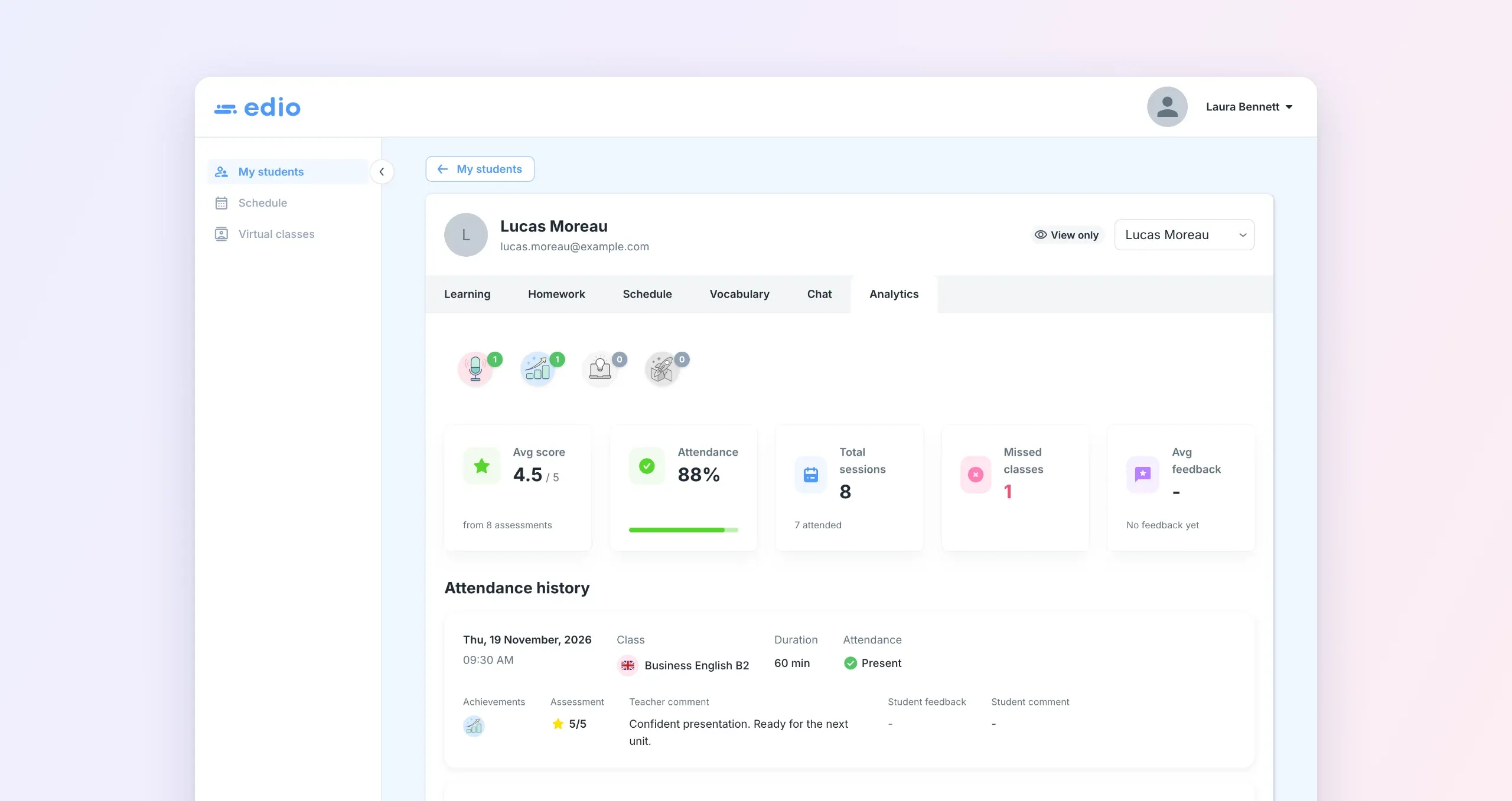
Analytics fills in by itself after every lesson. When the teacher ends a lesson and marks attendance, the supervisor sees it too. Nobody has to write a report. More about these numbers: Analytics for online lessons.
All their students in one calendar
Schedule shows the lessons of all of a supervisor's students in one weekly calendar, with a color for each student. To see one student's lessons, pick them from the list.
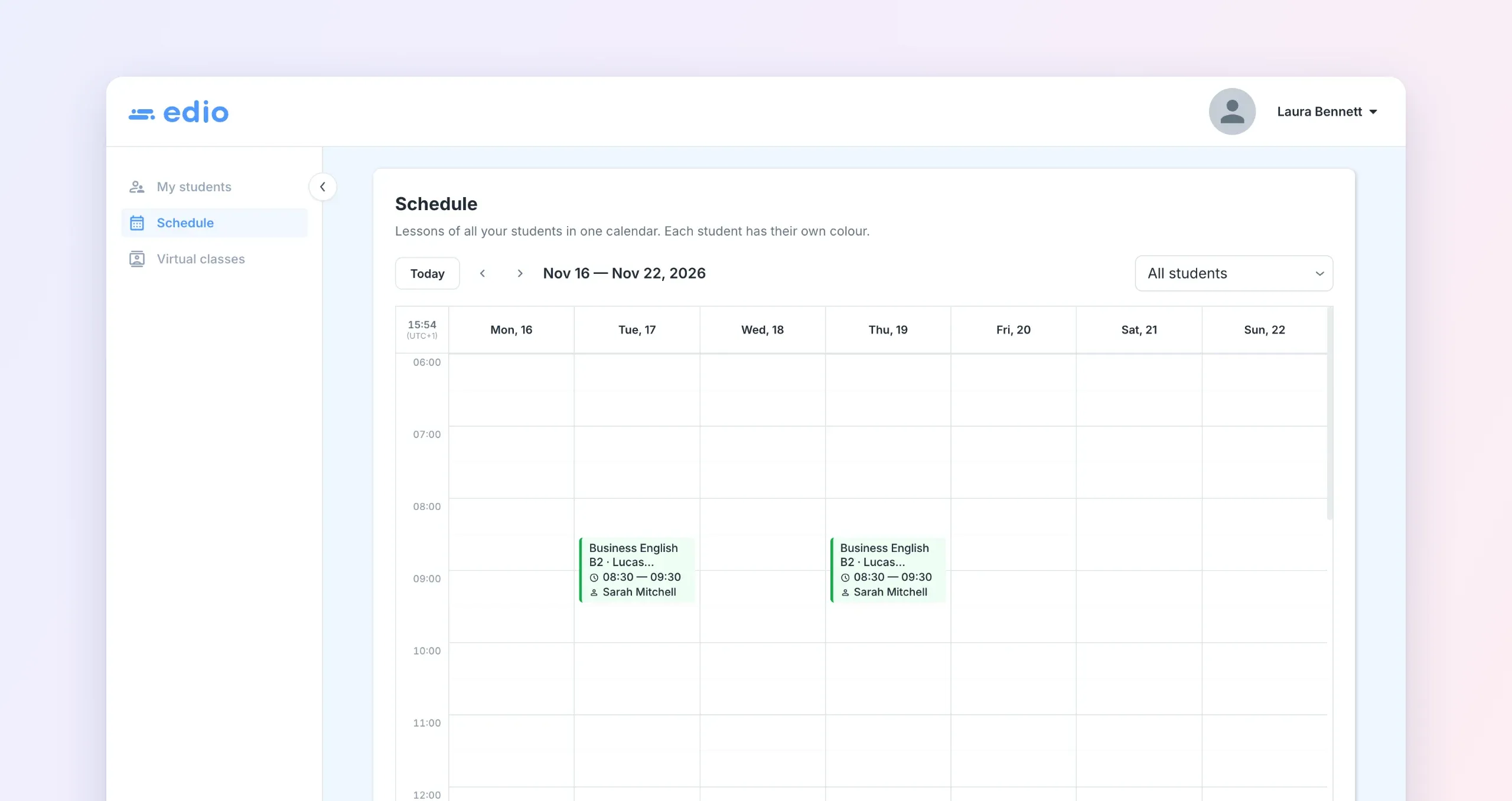
Under Virtual classes, a supervisor sees each class their students study in, with its timetable and teachers. Open a class to see how many lessons of the course the class has covered and how many each student has completed.
For parents and for corporate clients
For parents, the supervisor role answers the questions they'd otherwise send you: did my child come to the lesson, how did it go, is the homework done? They can check after every lesson and read the teacher's comment.
For corporate clients, it's a live report. The HR manager sees attendance and marks for every employee in the program, at any time, without asking your school for a spreadsheet. When it's time to renew the contract, the results are already in front of them.
Students always know
When you link a supervisor to a student, edio tells the student by email and with a notice in the app, for example "Laura Bennett can now follow your progress". The notice explains what the supervisor can see: their lessons and answers, homework, chats and analytics. It also says the supervisor can't change anything or write to them.
The supervisor role is live in every edio school now. Open Virtual classes → Supervisors and add your first parent or HR manager.
No account yet? Start your 7-day free trial, no credit card needed.
Related posts

Student certificates, brand colors and homework from live lessons
Send certificates, give your school its own colors, assign homework from a live lesson and pick a style for AI pictures. Here's what's new in edio.
December 2025 update: school analytics, Drag & Drop and lesson feedback
New analytics, Drag & Drop, lesson feedback, flexible access, helper, and major performance improvements in edio.
How to Track Prepaid Lessons in an Online Language School (Without Spreadsheets)
Discover how edio's lesson balance system lets teachers add, deduct, and track prepaid lessons per student — with full history, automated deductions, and a clean student-facing view.